Found Someone’s Lost Tile? Here’s How to Give it Back
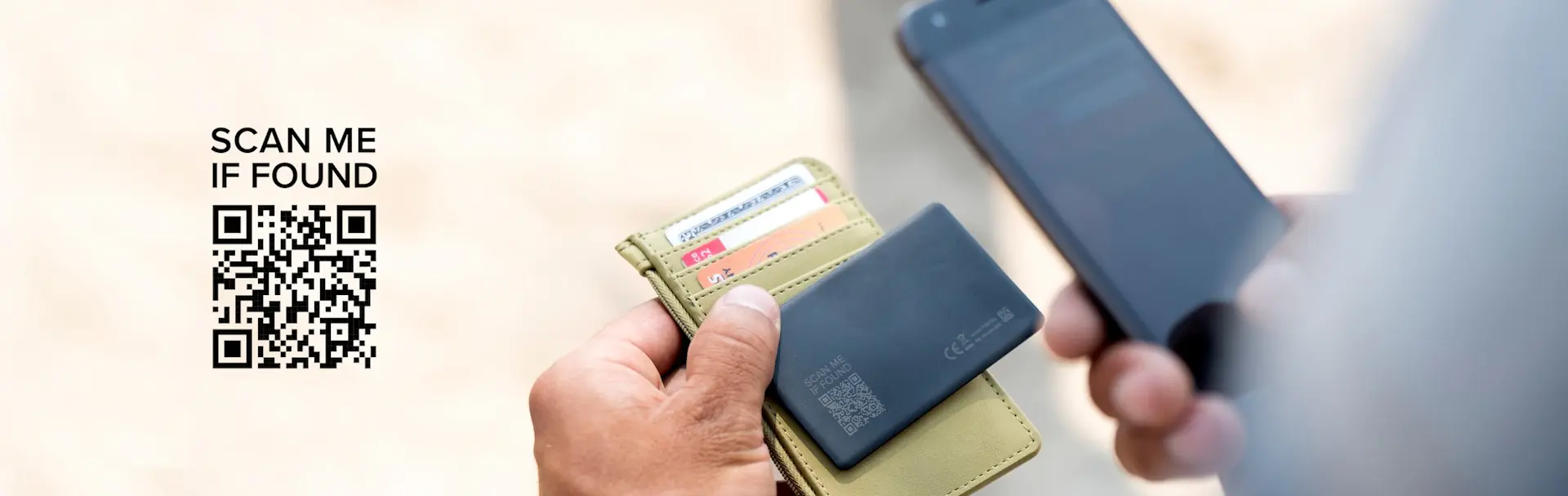
What do you do if you’ve found someone else's Tile, and how do you give back a Tile you found? With the help of Tile's new Lost & Found feature, it's easier than ever to return a Tile tracker and the attached items to its rightful owner.
How Do I Return Someone’s Lost Tile I Found?
Found someone’s lost Tile and personal item? You’re in the right place. If it’s the newest model like the updated Tile Pro or Tile Slim, it will have a QR code on the back that you can scan with your smartphone. If you're wondering “How do I scan the QR code?” it's as simple as using your phone’s camera or any regular QR code scanner app. Just open up your iPhone camera or other device camera, and pretend you’re taking a picture of the QR code. A link will automatically pop up and will give you further instructions. You don’t even need to have the Life30 app installed on your device to use the QR code and receive the owner's provided contact info.
Once the QR code has been scanned, the owner's information will be displayed. From there, all the finder has to do is contact the owner using the details provided and work out an easy and safe way to get the item back in the right hands. It's that simple, and the Lost & Found feature is ready to help you find everything so you never have to Google ‘find my lost phone’ or ‘find my lost wallet’ ever again.
Tile's New Lost & Found Function
Tile's Lost & Found feature gives you an added layer of protection for your Tiled items, making sure any Tiles and valuables that get lost or misplaced are able to be returned to you safely and securely.
New Tile trackers, like the 2022 Tile Pro, Tile Mate, and Tile Slim now feature QR codes printed right on the back. Anyone who finds a lost Tile tracker can then simply scan the QR code using their smartphone and get the provided contact details of the owner so they can safely return the item.
Not only does the Lost & Found function provide a safe and simple way for you to get lost items back if you lose them, but it also extends the potential finding radius for your lost items far beyond Bluetooth range and the Tile Network.
It's also really simple to use. For instance, the person who finds your Tile doesn't need to have the Life360 app or even any specific operating system in order to get in touch with you. All they need is their smartphone camera or any device’s camera, or a QR scanner app which is now built-in to many modern devices or can be easily downloaded for free from app stores like Google Play or the Apple App Store.
How Do I Set Up Lost & Found for My Tiles?
Lost & Found adds an extra level of functionality and security to your Tile trackers. If a Tile is out of range and you can’t locate it, all you have to do is open up the Life360 app and then press the Notify When Found button. The app will then invite you to enter your preferred contact details like a phone number or email address, as well as some space for a brief message you’d like to include such as
text me if you find this. In the meantime, the Tile Network will also be alerted about the lost item and can help to anonymously track it down.
To be clear, adding your contact information for Lost & Found is optional and entirely up to you. If someone finds the Tile, they can scan the QR code and get the Tile owner’s selected contact information. Here’s how to safely return a Tile to its rightful owner.