HomepageLife360 logo
Pet SafetyMembership PlansShopSale
Get started
Core Tile 1

Tile

Small size, big features

Core Tile Pro 1

Tile Pro

Longest range

Core Tile Slim 1

Tile Slim

Fits anywhere

Core Tile Sticker 1

Tile Sticker

Sticky to stay put

pet gps feature

GPS Pet Tracker

Real-time pet tracker

ImageAsset

Sale

Shop Limited Time Deals!

  • New Arrivals
  • Custom Branded Tiles
Explore Tile Trackers
da762308-f79a-471f-b73b-479cce75a91b 1

Location Sharing

See they’re safe — no calls or check-ins needed.

nav-driving-safety

Driving Safety

Wherever they’re headed, we’ll be along for the ride.

260x174-Digital-safety 1

Digital Safety

From unexpected digital threats to the unwanted charge — we've got you.

260x174-Aging-Parents-Final

Parents

They stay independent. You stay informed.

nav-emergency-assistance

Emergency Assistance

Count on us when every second counts.

All Articles

Spring Cleaning Tips from Tile
Published: 13 Apr 2017

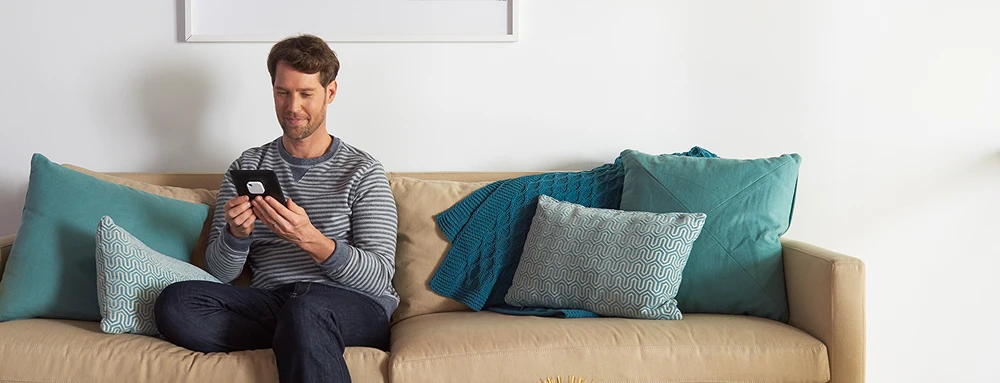
A person sitting on a couch with a Tile on their tablet

With Spring in full swing, we thought you could use a few tips to help tidy up. We all know that Tile is awesome for tracking down your lost keys and wallets, but here are a few ways you can use Tile to be a little proactive about how your keep track of your easy-to-lose items around the house. 

Use the Life360 app on your tablet: 

If your household has a shared tablet that everyone uses, download the Life360 app on it and create an account for your family to share. This is a great way to let everyone look for shared household items — like the remote, garage door opener —  without having to dig through the whole house.  

Share your Tiles:  

If you don’t have a huge household but live with a spouse or roommate, sharing your some of your Tiles with each other can help you both out. This works great for tracking down things like the mail keys or wine opener. Plus, if you’re ever in a pinch and need your roommate to find something around the house and bring it to you when you’re not home, they’ll know exactly where it is. 

Tile your Roomba: 

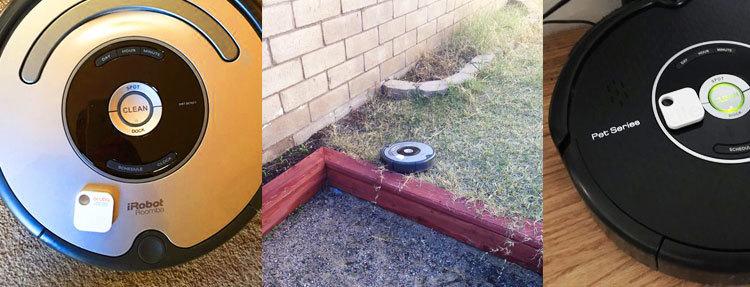
This is a tip that we actually got from a Tile community member who started using Tile on their self-driving vacuum cleaner after it went missing and turned up in the backyard of all places. 
lost-roomba-tile
Roombas with Tiles attached to them

Tile your Remote: 

This may seem obvious, but putting a Tiles on your remotes will save you time and stress and allow you to get the most out of your down time. 

Related Articles
Life360 Global Pet Parenthood ReportNew Earth Tone Colors Are HereTile Pro Review (2026)Halo Dog Collar vs Life360 How to Track Your Phone: 5 Methods That Actually Work
  1. Home>
  2. Blog>
  3. Spring Cleaning Tips from Tile
Sign up to get 15% off your first order of Life360 Bluetooth trackers.

By entering my email and clicking Sign up I agree to receive Life360 emails with exclusive updates, offers, and personalized messages (e.g. cart reminders). I have read and agree to the Life360 Terms of Service and acknowledge the Privacy Policy.

App Store ButtonGoogle Play

Company

AboutOur TeamCareersPartner with UsCustom Branded TilesPressInvestor RelationsTrust & SafetySustainabilityEnterprise Tracking Partnership

Support

Help CenterActivate a Tile TrackerBlogMember ProtectionOrder StatusShippingWarranty & Refund PolicyReport a Security Vulnerability

Legal

Law Enforcement GuidelinesReseller PolicyTerms of ServicePrivacy PolicyDeclaration of ConformityUser GuidesPrivacy Options icon

©2026 Life360, Inc.
TILE and the TILE design are trademarks of Tile, Inc., a subsidiary of Life360, Inc.

Free standard shipping on orders over $80AUD*

  • Twitter Opens in a new tab
  • YouTube Opens in a new tab
  • Facebook Opens in a new tab
  • Instagram Opens in a new tab
  • LinkedIn Opens in a new tab