Temporary group location sharing for trips, events, and everyday meetups
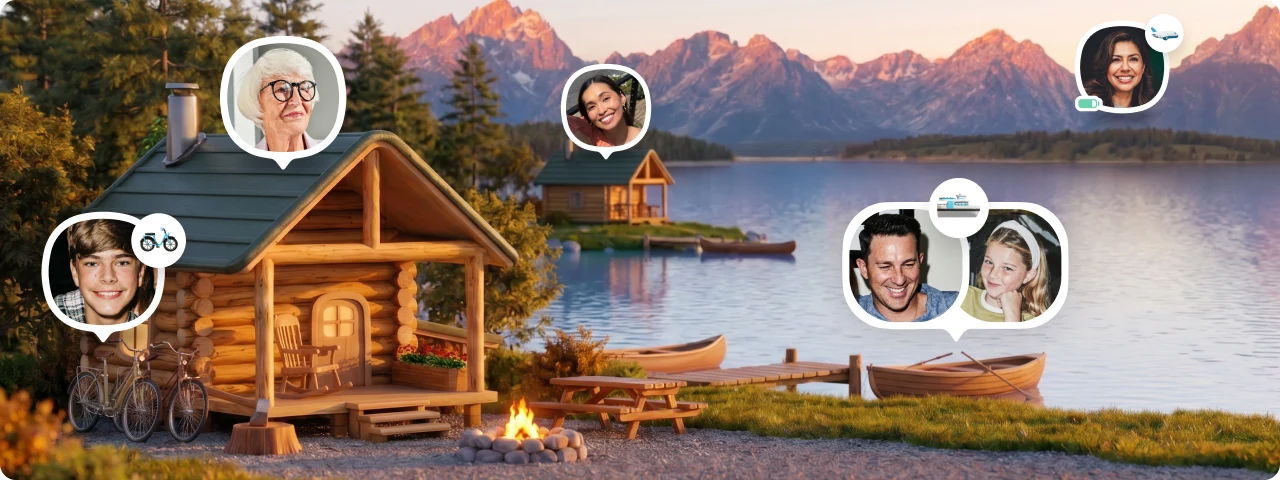
Two families. Nine people arriving from four different cities. Three of them on a different flight. One dad who insists he knows a shortcut and is now, somehow, forty minutes behind everyone else.
Nobody has anybody else on Life360. But nobody wants to add nine people to their permanent Circle for a long weekend. What you need is a Circle that exists for the trip — and dissolves when it's over.
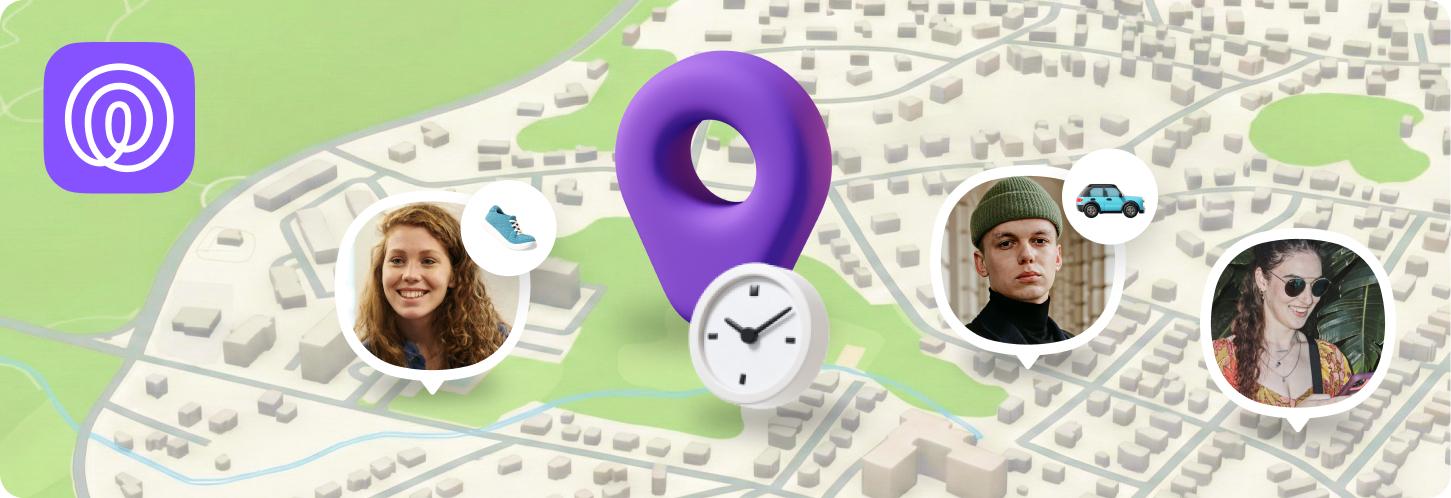
Temporary Circles is Life360's group location sharing feature with a built-in expiry.
Everyone you invite joins a shared Circle, sharing their real-time location with the whole group and seeing everyone else's — all inside the Life360 app. When your set duration runs out, location sharing stops automatically. No cleanup. No awkward removals. It just ends.
Temporary Circles is live now in the Life360 app.
Group location sharing that knows when to quit.
Set a Temporary Circle for your next trip, event, or meetup. Everyone sees everyone — and when it's over, it's just over.
Why group coordination is a different problem
There's a reason the group chat turns into chaos the second people split up at an event or arrive from different directions. The tools most people reach for — texting, WhatsApp, even temporary location sharing — are one-directional. One person updates the group on where they are. That's fine for two people. For a group of eight at a music festival, it breaks down immediately.
The problem isn't that nobody's sharing. It's that everyone needs to see everyone.
Temporary Circles solves exactly that. One person creates the Circle, everyone joins, and the shared map is live for the whole group — no one person playing dispatcher, no I can see you but you can't see me
confusion, no thread of 40 location screenshots.
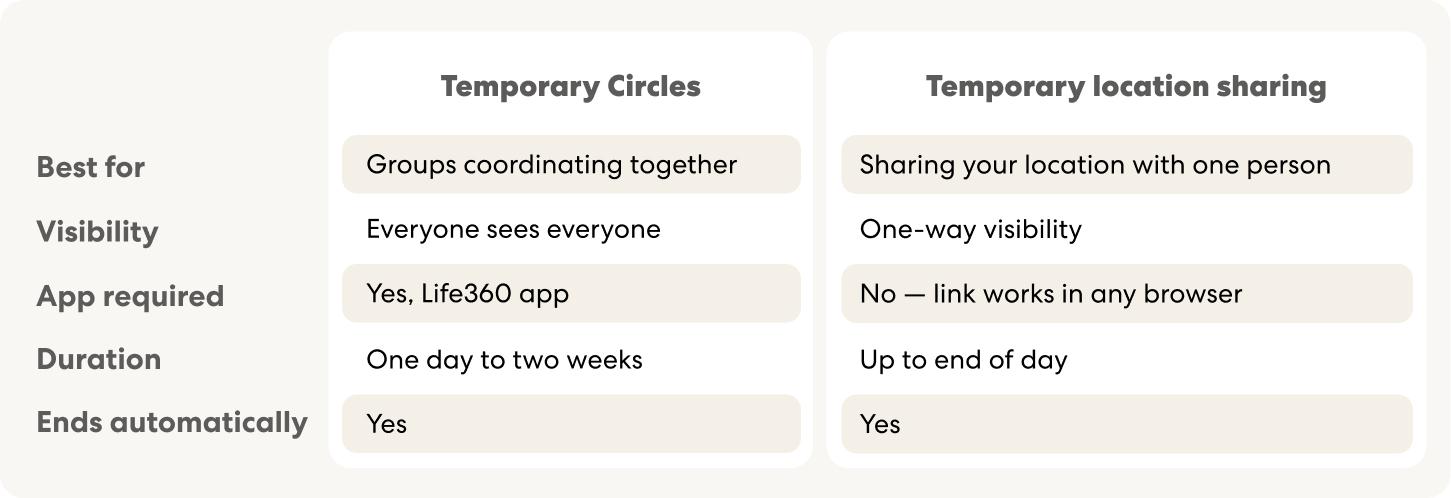
Quick rule:
Need the whole group on the same map? Try Temporary Circles. Just need to send someone your location? Start temporary location sharing.
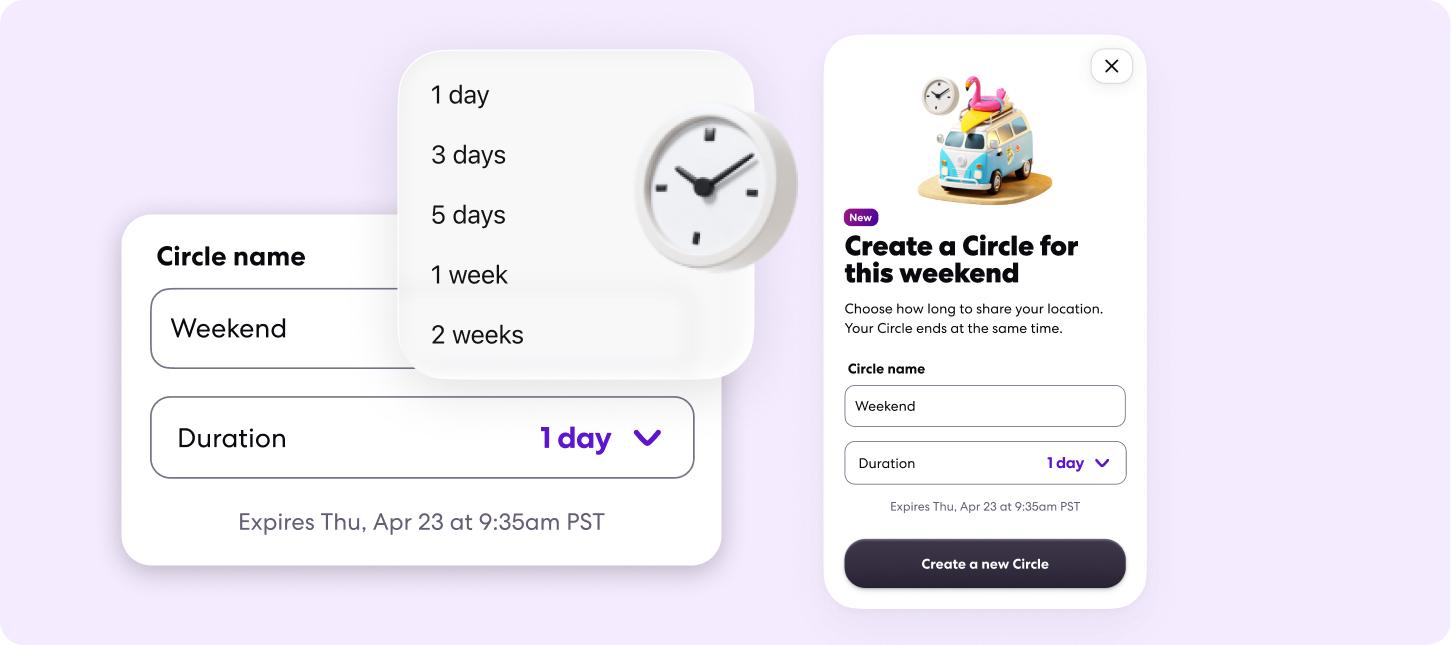
Here's how it works
Invite your group. Everyone joins right in the app.
That's it. From that point, every member of the Circle can see every other member's real-time location on a shared map. Live, updated, accurate — the whole group in one view.
While the Circle is active
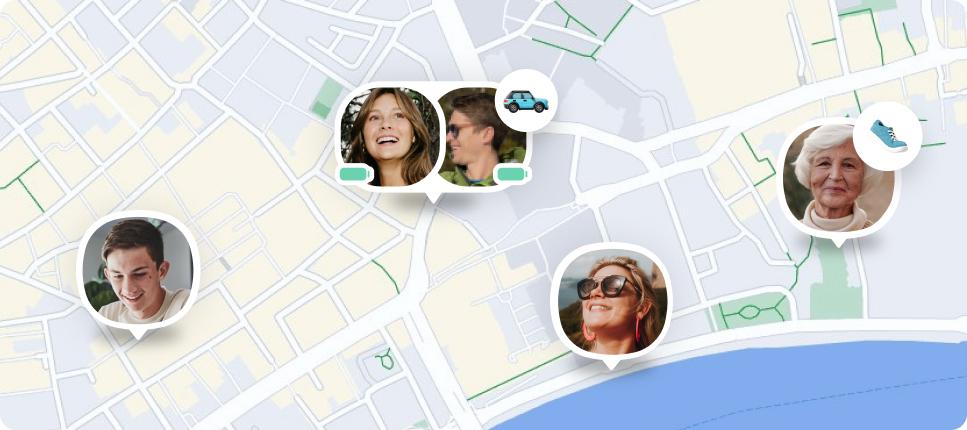
Every member's pin shows on the shared map. Someone went to get food and hasn't come back? You can see exactly where they are. The group split across two entrances? Everyone navigates to each other without a single text. The drive home turned into four different routes? The whole group tracks in real time until everyone's safe.
When time's up
The Circle closes. Every member sees a notification that the session has ended. Location access stops for the entire group — no residual visibility, no one lingering in a Circle that's run its course. Or end it early yourself, anytime, from the app.
Group location sharing for concerts and festivals
Your group is going to split up. It always does. Someone finds the merch booth, someone needs water, someone claims they're right by the stage
— which stage being the open question.
Create a Temporary Circle before you arrive. Set it for the duration of the event. From that point, everyone in your group has a live view of where everyone else is — no I'm by the blue tent
messages, no designated meeting spot you'll never find, no one waiting alone at the wrong entrance for 20 minutes.
When the night ends and everyone scatters to their cars or their Ubers, the Circle is still live until you close it. When the last person is home safe, close it out. Done.
Temporary location sharing for family vacations and extended family
You probably wouldn't add the cousins to your permanent Life360 family Circle. But a family reunion weekend where everyone's driving in from different states and nobody knows the neighborhood? That calls for a shared map.
Temporary Circles give extended family, visiting relatives, or a second family joining your trip real-time mutual visibility for exactly as long as the visit lasts. No one has to be added to anyone's permanent Circle. No awkward should I remove them now?
conversation once it's over. The Circle runs for the weekend, or the week, and then it's gone.
Location sharing for weekend trips, sports games, and group meetups
The two-family road trip where three kids are in each car and nobody can agree on a lunch stop. The sports tournament weekend across four different fields. The work offsite where everyone's commuting from different hotels. The group dinner where half the people are still on the train.
Set a Temporary Circle for the duration of the plan — one day or one week — and the whole group stays connected without a single where are you?
text. When the plan is over, the Circle expires and everyone goes back to their normal Life360 setup.
The group social contract, solved
Adding someone to your permanent Life360 Circle says something. It's a commitment. And removing them — even when the moment has obviously passed — can feel loaded.
Temporary Circles is built around a different social contract entirely. Everyone who joins knows exactly how long the Circle runs. There's no why did you remove me?
because there's no removal. The Circle ends when it said it would. That's it.
It means you can actually invite the people you need for the moment — the colleague on the work trip, the visiting in-laws, the friends doing the festival — without any of it becoming a permanent thing. Trust for the moment. Nothing more.
A Circle for the weekend. Not forever.
Invite the people you need, for exactly as long as you need them. No commitment, no awkward removals — just the group, the map, and the moment.
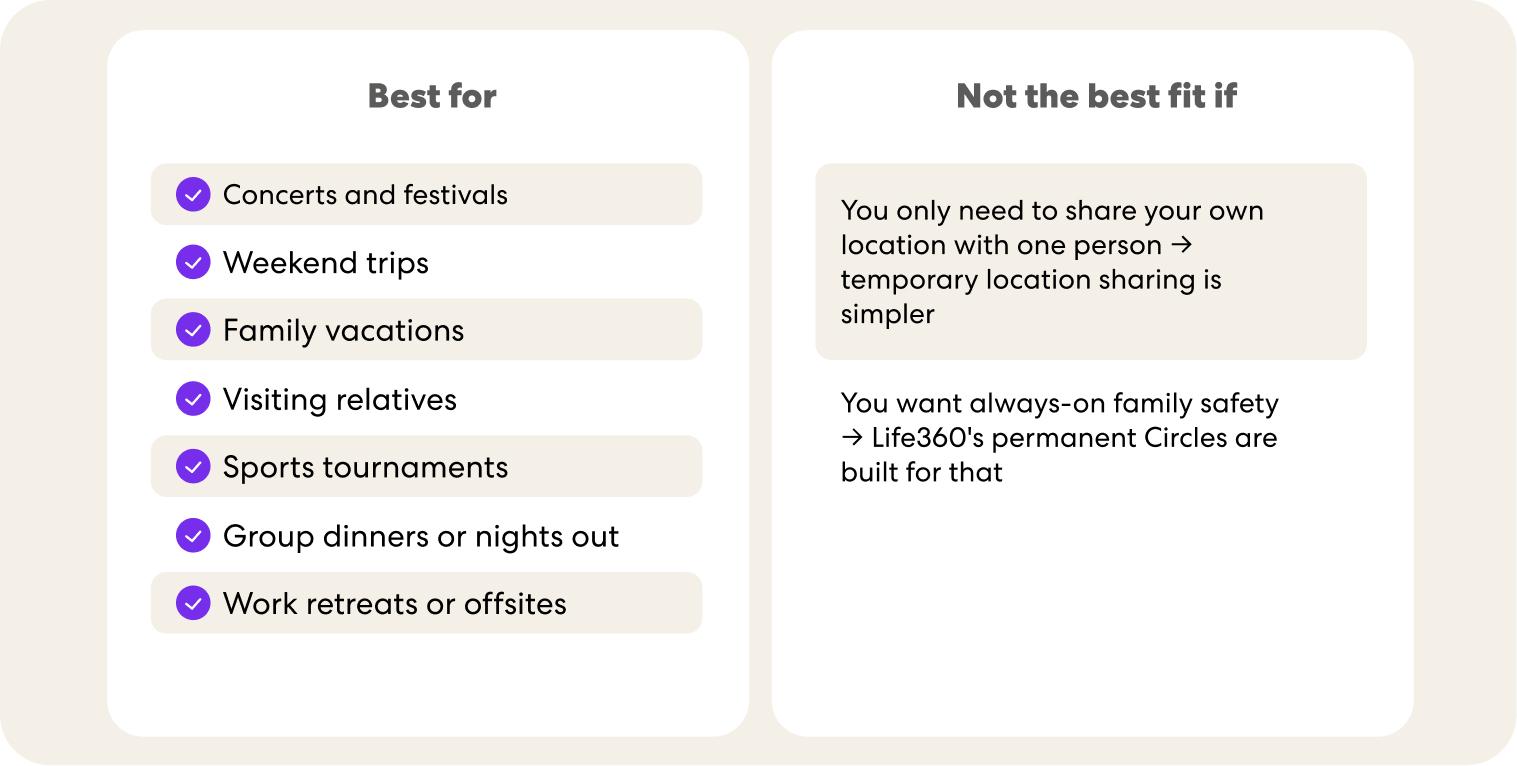
Is a Temporary Circle right for you?
FAQ: Temporary Circles on Life360
What is Temporary Circles on Life360?
Temporary Circles is Life360's group location sharing feature with a built-in expiry. You create a Circle, invite your group, set the duration, and everyone shares their real-time location with each other inside the Life360 app. When the time runs out, the Circle closes automatically.
How long can a Temporary Circle last?
From one day to multiple weeks — you set it when you create the Circle. It closes automatically when time's up, or you can end it early at any point.
Can everyone in the Circle see everyone else's location?
Yes, that's the whole point. Every member sees every other member's real-time location on the shared map. It's mutual visibility — not one person broadcasting to the rest.
Does everyone need the Life360 app to join?
Yes. Temporary Circles is a full in-app experience. Everyone who joins needs Life360 on their device. If you need to share your location with someone who doesn't have the app, temporary location sharing] lets them view via a browser link — no download needed.
Can I end a Temporary Circle before the timer runs out?
Yes. The Circle creator can close it for the entire group at any time. When it closes, location access ends immediately for all members.
Do Temporary Circles stop sharing automatically?
Yes. The Circle expires at the end of the duration you set — no one needs to manually remove members or close the session. You can also end it early anytime.
Can I use Temporary Circles for a concert or festival?
It's one of the best use cases. Create the Circle before you arrive, invite your group, and everyone navigates to each other on the live map. Set the duration to cover the event and it closes on its own when the night's over.
Can I create a Temporary Circle for a family vacation?
Yes — especially useful for trips with extended family, in-laws, or another family joining you. Everyone gets mutual visibility for the trip without being added to a permanent Circle.
Can people in a Temporary Circle see my regular Life360 Circle?
No. Temporary Circle members can only see location shared within that specific session. They won't see your other Circles, location history, or anything outside the Temporary Circle.
Is Temporary Circles available on all Life360 plans?
Temporary Circles is available to Life360 members.
Ready to bring your group together?
Temporary Circles is live now in the Life360 app for iOS and Android.
Create your first Temporary Circle — and let your next group moment actually feel effortless. Try Temporary Circles in the app today. See Life360 plans.