Life360 and iOS7: Update from the team
![[Blog] Image placeholder](https://images.ctfassets.net/nywvtjnh7p05/7gT5B1WUEVlA4WBUy3pwHR/45f02e60e8b0281a437a82edb165a45e/image-fallback.jpg?w=1920&fm=webp)
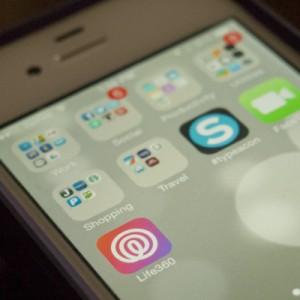
Hi there, iPhone users!
We wanted to give you a little update on what’s going on with our app and the new iOS operating system… we know it’s frustrating and believe me, it’s frustrating to us as well! We love when the app works perfectly for you, so getting these issues resolved is our number one priority right now.
Here are the things we know about. If you’re having additional issues, please do let us know, either in the comments here, on Twitter or our Facebook page, or you can check out our support forum.
The way apps run now is different, so it’s much easier for the operating system to cause Life360 to stop updating. If the app isn’t used for a certain amount of time, the OS will “kill” the app, which keeps it from running on your device. When this happens, it will stop geofences and locations from updating, so it shows that a user can’t be located. So please make sure you bring Life360 to the foreground every now and then to show your phone it’s something you want!
The option to turn “Background Refresh” off and on will cause the app not to locate. To make sure Background Refresh is turned ON for Life360, go to Settings > General > Background App Refresh > Make sure that’s ON and also scroll down to be sure it’s authorized for Life360. (This is in addition to having Location Services active, which you turn on in Settings > Privacy > Location Services)
If you close the app completely from the task bar, your location will no longer update for other family members. We understand that many users like to close things that they aren’t actively using to try and save battery, but if you close Life360 completely, we won’t be able to locate you.
Our team is working hard to create better messaging and notifications for why Life360 may not be working for iOS7 users, and is also determining whether or not there are things we can do on the app side to address the concerns. Please don’t hesitate to reach out if you have issues that haven’t been addressed here.
Thanks for your patience, and know that we appreciate you, and everyone who has taken the time to send in feedback.