Car Tracker Device: Never Lose Your Car Again

Have you ever come back from a long trip only to realize that you totally forgot where you parked your car? It happens to all of us, and it’s not always a result vacation brain.
Here are some easy steps you can take to never lose your car again!
Car Tracker Device: What Is It?
A car tracker is a device that uses either bluetooth or GPS tracking to monitor the location of your car. This device can be used to help you find:
Stolen cars
Where your family member might be
Where you parked your car in a big parking lot
How to Use a Tile Car Tracking Device
1) Tile it: Place a dedicated Tile on your car.
Lowell and his wife had a nice long cruise on the books and, as one would do on most big trips, they were ticking off their mental checklists: packing, locking doors and windows, removing perishable foods and so on....
They didn’t know it yet, but for all the things they planned for, it was one thing they didn’t plan that would really save the day! Lowell’s wife had given him a Tile during the holidays and he had stashed it in the glove box.
In all of the commotion, they had missed a very important notice; while they were gone, there would be construction on their street!
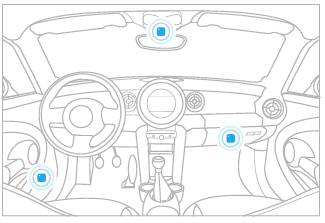
2) Run it: Run the Life360 app to remember where you had your vehicle.
Just like carrying your license and proof of insurance, keeping the Life360 app running in the background on your phone is always a good idea. This is how you know the last place you had something. In this case, Lowell wouldn’t even have to think about where he parked after he got home, he could just check the Life360 app.
Typically, Lowell used the Tile in his car to remember where he parked when he was out and about. He never worried about finding his car at the office, in the city, or at the mall because he knew he could always check his app.
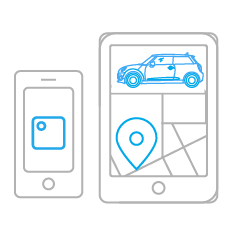
3) Find it: Use the app to see the last place you had your car.
When Lowell and his wife got back from their trip, they noticed that there had been some changes made to their street. They also noticed that their car was not where they had left it!
Lowell was shocked and determined to find his car, so out of sheer habit, he walked up and down his block. Finally, he remembered his Tile.
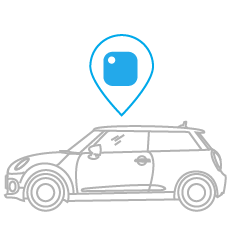
Even though his car had been towed and moved a few blocks away a week before, (i.e. his car Tile’s last known location was outdated) the location of his Tile had been anonymously updated by another member of the Tile community! And the best part of this is that the person who updated the location didn’t have to do a single thing! Just by running the app in the background on their phone they were able to save the day for another Tiler. Lowell just had to open his app and follow the directions right to his lost car.