HomepageLife360 logo
Pet SafetyMembership PlansShopSale
Get started
Core Tile 1

Tile

Small size, big features

Core Tile Pro 1

Tile Pro

Longest range

Core Tile Slim 1

Tile Slim

Fits anywhere

Core Tile Sticker 1

Tile Sticker

Sticky to stay put

pet gps feature

GPS Pet Tracker

Real-time pet tracker

ImageAsset

Sale

Shop Limited Time Deals!

  • New Arrivals
  • Custom Branded Tiles
Explore Tile Trackers
da762308-f79a-471f-b73b-479cce75a91b 1

Location Sharing

See they’re safe — no calls or check-ins needed.

nav-driving-safety

Driving Safety

Wherever they’re headed, we’ll be along for the ride.

260x174-Digital-safety 1

Digital Safety

From unexpected digital threats to the unwanted charge — we've got you.

260x174-Aging-Parents-Final

Parents

They stay independent. You stay informed.

nav-emergency-assistance

Emergency Assistance

Count on us when every second counts.

All Articles

Making the most of the new messaging features in Life360

Published: 24 Mar 2015

| Updated: 30 Jan 2024

• Life360 News
image-fallback

This is an exciting update that Life360 has been working on for quite a while, and we want to let you know some of the coolest parts, and some of the best ways to take advantage of our all-new in-app messaging! This is a feature that can be used whether you have a paid Life360 plan or not.

First off, we now have emojis! (Insert woo hoo emoji here) Sometimes, a single emoji can express a whole sentence… Why type out “Let’s go get pizza and coffee before dance class!” when you can just put this:

emoji-statement 1

While it isn’t a life-changer, we’re excited that it makes it a little easier to communicate with those closest to you.

Our new threaded messaging makes it easier to manage multiple conversations at once; rather than a single jumbled list of messages, it’s now easier to see who is responding to which message.
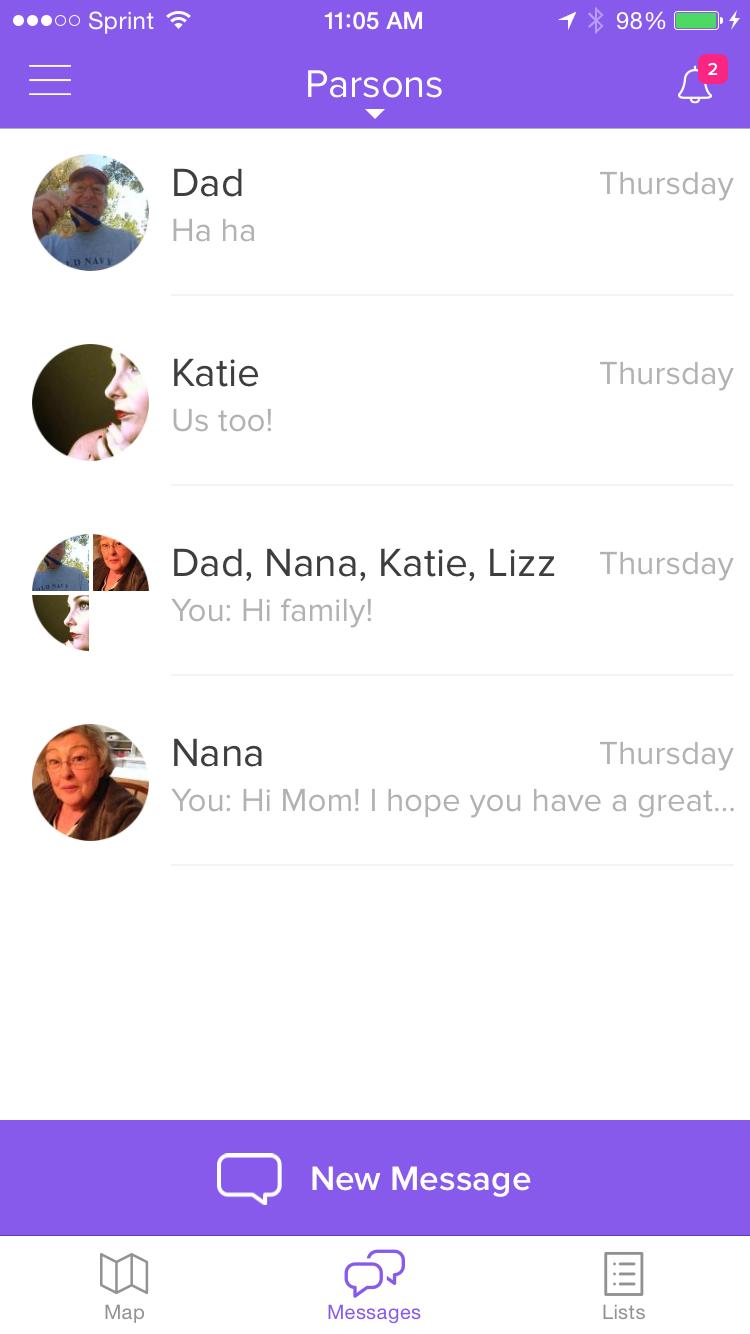
IMG 70341 1

We’ve added a typing notifier and read receipts. It’s so helpful, knowing when someone has seen the message, even if they haven’t had a chance to reply yet.

And not a new feature, but something that is great anyway; did you know that you can message only specific Circle members? You don’t have to message everyone with everything, you can easily select specific people. (This applies to Lists as well; not everyone in the Circle needs to be included on every list!)
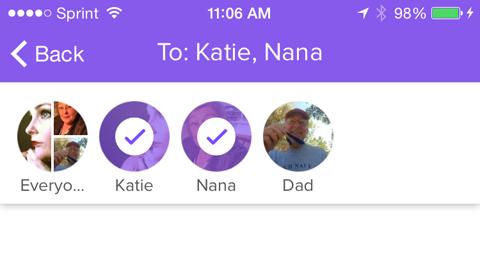
IMG 7035 1

Related Articles
The Anxiety Economy Big News for Tile Owners! Tile.com is now Life360.comTile + Life360: Everyone and everything that matters, tracked in one placeAs Seen on Social in October 2022Tile Joins Life360
  1. Home>
  2. Blog>
  3. Life360 News>
  4. Making the most of the new messaging features in Life360
Sign up to get 15% off your first order of Life360 Bluetooth trackers.

By entering my email and clicking Sign up I agree to receive Life360 emails with exclusive updates, offers, and personalized messages (e.g. cart reminders). I have read and agree to the Life360 Terms of Service and acknowledge the Privacy Policy.

App Store ButtonGoogle Play

Company

AboutOur TeamCareersPartner with UsCustom Branded TilesPressTrust & SafetySustainabilityEnterprise Tracking Partnership

Support

Help CenterActivate a Tile TrackerBlogMember ProtectionOrder StatusShippingWarranty & Refund PolicyReport a Security Vulnerability

Legal

Law Enforcement GuidelinesReseller PolicyTerms of ServicePrivacy PolicyDeclaration of ConformityUser GuidesPrivacy Options icon

©2026 Life360, Inc.
TILE and the TILE design are trademarks of Tile, Inc., a subsidiary of Life360, Inc.

*Free standard shipping on all orders.*

  • Twitter Opens in a new tab
  • YouTube Opens in a new tab
  • Facebook Opens in a new tab
  • Instagram Opens in a new tab
  • LinkedIn Opens in a new tab