HomepageLife360 logo
Pet SafetyMembership PlansShopSale
Get started
Core Tile 1

Tile

Small size, big features

Core Tile Pro 1

Tile Pro

Longest range

Core Tile Slim 1

Tile Slim

Fits anywhere

Core Tile Sticker 1

Tile Sticker

Sticky to stay put

pet gps feature

GPS Pet Tracker

Real-time pet tracker

ImageAsset

Sale

Shop Limited Time Deals!

  • New Arrivals
  • Custom Branded Tiles
Explore Tile Trackers
da762308-f79a-471f-b73b-479cce75a91b 1

Location Sharing

See they’re safe — no calls or check-ins needed.

nav-driving-safety

Driving Safety

Wherever they’re headed, we’ll be along for the ride.

260x174-Digital-safety 1

Digital Safety

From unexpected digital threats to the unwanted charge — we've got you.

260x174-Aging-Parents-Final

Parents

They stay independent. You stay informed.

nav-emergency-assistance

Emergency Assistance

Count on us when every second counts.

All Articles

How to Stop Losing Your TV Remote
Published: 23 Mar 2020

• Tile Tips
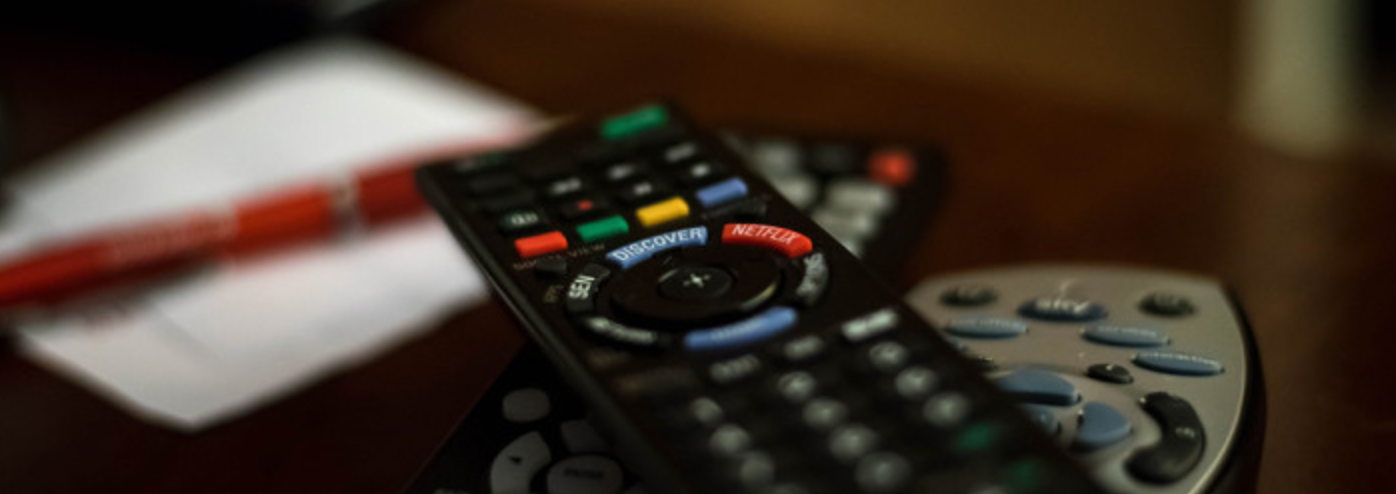
A bunch of remote controls

Think of that moment when you really need to pause a show or you’re settling down for a movie marathon...and you can’t find the TV remote. You’d think it’d be easy to keep it in one place, but between Netflix binges and movie nights — and sharing across multiple family members or roommates — a lost TV remote always comes at the most inconvenient time. 

Enter Tile: helping you avoid the headache of tearing apart your living room. Below are your steps to success for finding those pesky missing TV remotes. 

Sticker It

It’s a critical first step, and it’s easy to add a Tile Sticker to your remote for faster finding. Select the flattest, smoothest surface on the remote, make sure it’s dry and clean of oil/dirt/dust, then use Sticker’s strong adhesive to bond them together. Next time you need it, just open your Life360 app and tap “find” to make it ring.

Share It

Make the search party bigger by sharing your Tile with the entire family. Our guess is, everyone in your household has been guilty of “being the last person to use the remote” at some point. By sharing the Tile on your remote, whoever’s home can help get it back to the person in need.

“Smart Home” It

Connect Tile to your Amazon Alexa, Google Home device or Comcast Xfinity Home app. So, next time you yell, Where's the remote?... you'll actually get a helpful response. 

Have you used Tile to find your TV remote? What household battles has it helped ease? Share your stories with us on social!

Related Articles
Tile Pro Review (2026)How to Track Your Phone: 5 Methods That Actually WorkTile Car TrackerHow to Change a Tile Pro BatteryUsing Tile Internationally
  1. Home>
  2. Blog>
  3. Tile Tips>
  4. How to Stop Losing Your TV Remote
Sign up to get 15% off your first order of Life360 Bluetooth trackers.

By entering my email and clicking Sign up I agree to receive Life360 emails with exclusive updates, offers, and personalized messages (e.g. cart reminders). I have read and agree to the Life360 Terms of Service and acknowledge the Privacy Policy.

App Store ButtonGoogle Play

Company

AboutOur TeamCareersPartner with UsCustom Branded TilesPressInvestor RelationsTrust & SafetySustainabilityEnterprise Tracking Partnership

Support

Help CenterActivate a Tile TrackerBlogMember ProtectionOrder StatusShippingWarranty & Refund PolicyReport a Security Vulnerability

Legal

Law Enforcement GuidelinesReseller PolicyTerms of ServicePrivacy PolicyDeclaration of ConformityUser GuidesPrivacy Options icon

©2026 Life360, Inc.
TILE and the TILE design are trademarks of Tile, Inc., a subsidiary of Life360, Inc.

  • Twitter Opens in a new tab
  • YouTube Opens in a new tab
  • Facebook Opens in a new tab
  • Instagram Opens in a new tab
  • LinkedIn Opens in a new tab