Life360 Driver Protect User Guide

Welcome to Life360 Driver Protect! Providing driving peace of mind for the whole family
You can’t always be on the road with your family, but we can. Below are tutorials and tips on how to setup your account and how to take advantage of all the features of your subscription.
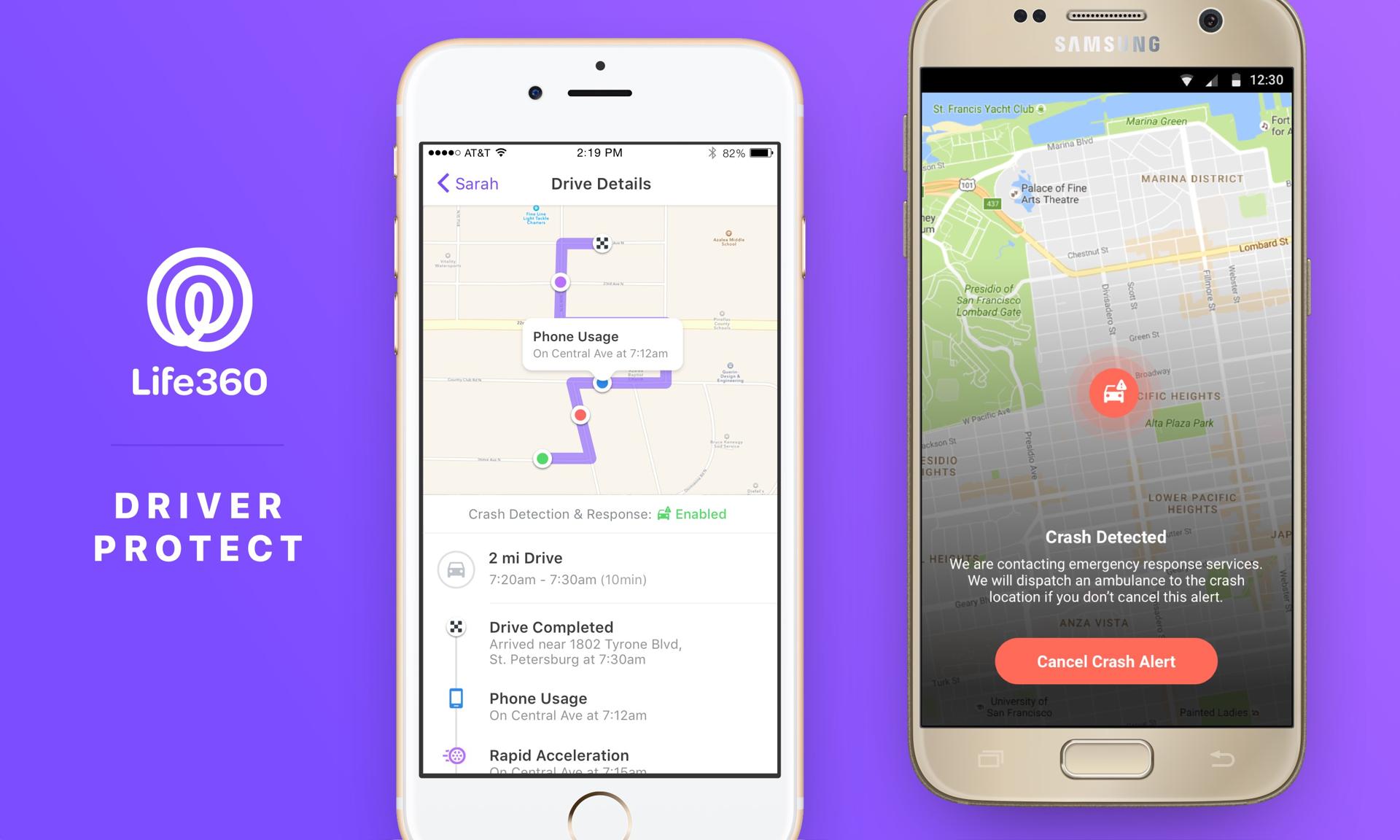
Safe Drive Reviews
Safe Drive Reviews allow you to see Events during drives including top speed, instances of rapid acceleration and hard braking, and distracted driving from cell phone usage.
Follow these steps to turn on Safe Drive Reviews for your Circle Members:
Step 1: Enable Drive Detection for yourself
Launch Life360
Tap Settings in the menu
Tap Driving Analysis
Drag the button right until it turns green
Step 2: Enable Drive Detection for your Circle members
Follow Step 1 above on each Circle member’s phone
Each of their buttons must be green on their phones in order to be detected
If ‘Drive Detection Paused’ is listed, this Circle member has not enabled their Drive Detection
Step 3: Receive notifications after your Circle members’ drives
Tap Driving in the menu
Drag the button right until it turns green to turn on notifications for a Circle member
Drag the button left until it turns white to turn off notifications for a Circle member
Step 4: View Safe Drive Reviews
Tap on a Circle member to view their History
Drives are marked separately from trips, ex: “7 mi Drive”. Scroll through History to view 30 days of trips and drives
Click on a particular Drive to view its Safe Drive Review. Events will be clickable on the map and listed at the bottom. They are listed with time and location of each instance
Safe Drive Reviews include Events for each drive. Listed below is the meaning of each Event. These are tracked while the phone is in motion in a vehicle and is not dependent on the Circle member being the driver.
![[Blog] driver_behavior_sm](/_next/image?url=https%3A%2F%2Fimages.ctfassets.net%2Fnywvtjnh7p05%2Fwp_media_29458%2F2313307e2d4b3491fc2eb685f866819d%2Fdriver_behavior_sm.png&w=1920&q=75)
Phone Usage – Use of your phone
Hard Braking – Sudden or strong braking
Rapid Acceleration – Increase in speed in a very short amount of time
Top Speed – The top speed reached during a drive
Driver Protect features are available for every member of a Circle. In order to see Safe Drive Reviews, enable Crash Detection, and use our Extended Roadside Assistance, the subscribed Circle must be selected.
Crash Detection
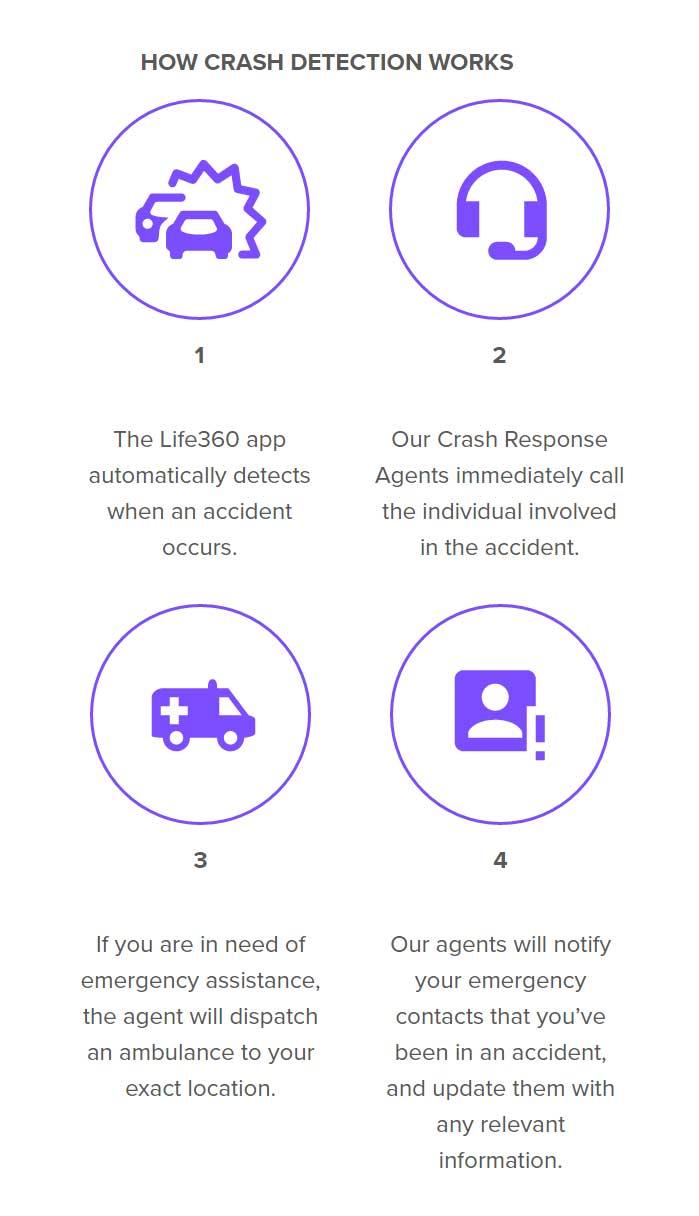
Accidents happen, and we’ll send help to you and your loved ones as quickly as possible. Life360’s proprietary system automatically detects a car accident based on the sensors of your phone. Tested over millions of miles, our smart algorithms can detect the difference between a car accident and dropping your phone on the ground. You can’t always be there, but we can.
How Crash Detection Works:
Driver Protect features are available for every member of a Circle. In order to see Safe Drive Reviews, enable Crash Detection, and use our Extended Roadside Assistance, the subscribed Circle must be selected.
Contact Us for Extended Roadside Assistance
Simply tap a button to reach us 24/7 for driving help.
Click “Call Driver Care Support” to be connected to our trained advisers!
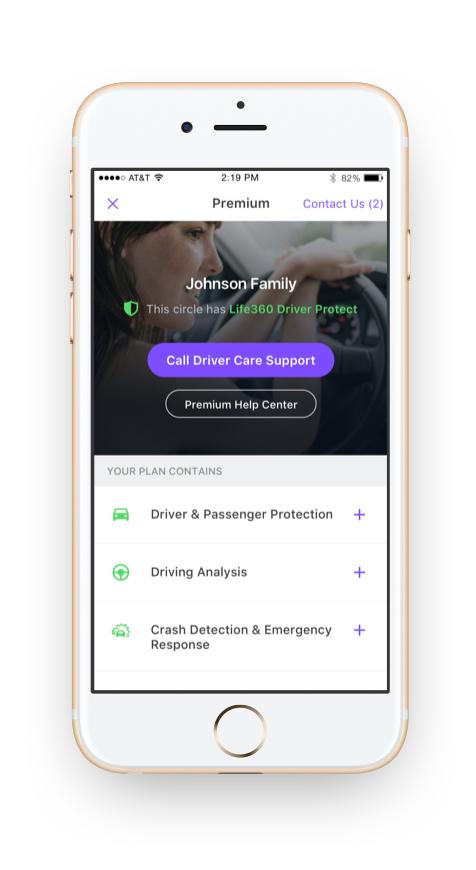
We help with
Towing
Flat tires
Lock outs
Jump starting a battery
Running out of gas
We are also available to help with turn-by-turn directions, advice on what to do in a minor accident and emergency situations like severe weather or power lines on the road. We’re just a tap away for your driving needs.
Not sure if you have Driver Protect? Click on your menu, and you will see your subscription information listed.!
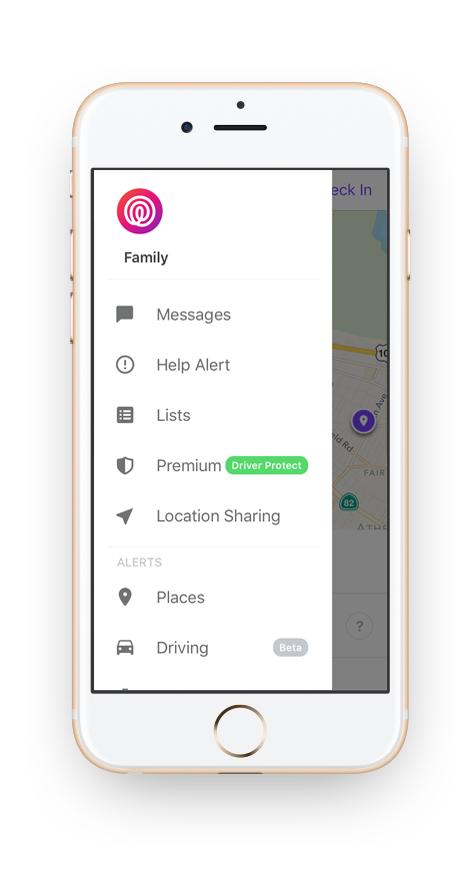
If you’d like to subscribe to Drive Protect, click on Premium and follow the next steps
Don’t have Life360? Download it now: