How to Find a Lost Roku Remote
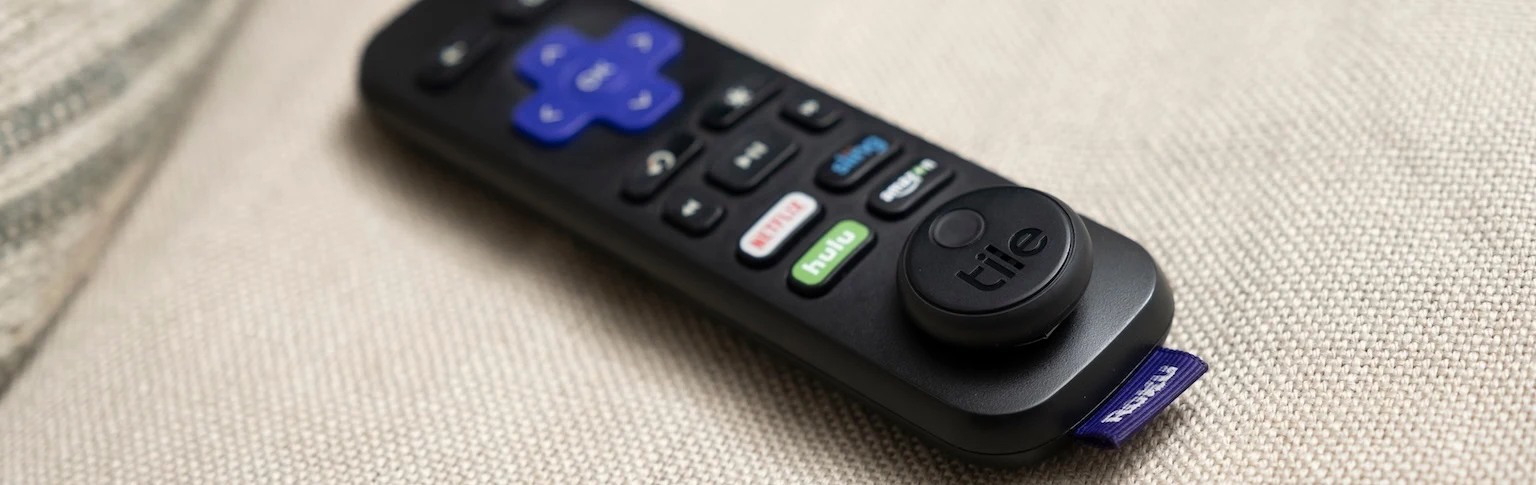
Each week, the average person spends at least five minutes tracking down their remote. If big, clunky TV remotes get lost that easily, it's no surprise that petite Roku remotes are lost even more often! Don't let a lost Roku remote ruin your TV night. When you remember to put a Tile tracker on your Roku remote, you can easily stay organized and find your remote without having to tear apart your living room.
Use Tile and Your Phone to Find Your Lost Roku Remote
Picture this: You finally have free time to catch up on your favorite show, but when you go to turn on your Roku, you realize the remote is gone. Cue the panic! How to find a lost Roku remote? For the average person, this involves flipping over cushions, peering behind media consoles, and asking every person in the house where the remote is, which can be extremely frustrating.
If you have Tile, things get a lot easier. You might not even have to get off the couch. All you have to do is grab your phone, open the Life360 app, and tap Find.
Listen for the ring and pinpoint exactly where your lost Roku remote is hiding. You get to skip all the hassle and go back to enjoying TV, movies, music, and more.
Do You Need to Find Your Roku Remote Often?
With their slim profile, it's easy for Roku remotes to slip between couch cushions when you aren't looking. Their shape also makes it easy for them to hide in plain sight. If you've got a Roku remote, there's probably been at least one or two times you've run through the house looking for the remote, only to find it was sitting right on the coffee table.
As you probably know already, there are all sorts of other crazy places a remote can end up. If you absentmindedly carry it with you when you leave the TV, it can turn up in the kitchen cabinet, on a sink counter, or even in your car! Potential locations for a lost Roku remote are even wackier in homes with curious pets or toddlers. If you turn your back for a minute, the remote can get buried in the backyard or tossed in a box of dress-up clothes.
With all the bizarre spots a Roku remote might end up, looking for your remote can feel hopeless. You start by peeking between couch cushions or calling Hey honey, have you seen the remote?
However, when this proves useless, you end up tossing clothes out of dresser drawers, looking inside pillowcases, and desperately wondering just where your Roku remote has ended up. All this time and energy can feel frustrating and pointless. If you want to speed up the process, turn to Tile.
How Tile Works
Figuring out how to find a Roku remote doesn't have to be complicated or confusing. The Tile Roku remote tracker is very simple to set up. First, you just peel the adhesive backing off the Tile Sticker and press the tracker onto your remote. The tracker is small and lightweight, so you can still use your remote normally with the tracker installed.
Then, you just need to pair your Roku remote tracker to the Life360 app on your smartphone to find it if (or really, when) it goes missing next. So, when you want to relax with your favorite show but can't find the remote, you don't have to spend ages digging around under couch cushions. Tile helps you stay organized! Instead, just pull up the Life360 app and tap “Find” to instantaneously make your Roku remote ring. Then, you can easily follow the sound to exactly where your remote is.
You can find your Tile tracker by making it ring when it’s within Bluetooth range (between 100ft/45m and 300ft/90m depending on the model). You can share your Tile in the app with anyone who lives with you to expand your finding range or use the map in your app to get directions to where you had it last, or ask the Tile Network to help you find it.
If you love the idea of never having to waste time or energy hunting for a lost Roku remote again, you definitely need a Tile. Find the best one for your home by browsing our website. You can also learn more about using Tile with Roku remotes by following us on Facebook, Twitter, and Instagram.