How to Find Your Lost Game Controller With a Tile
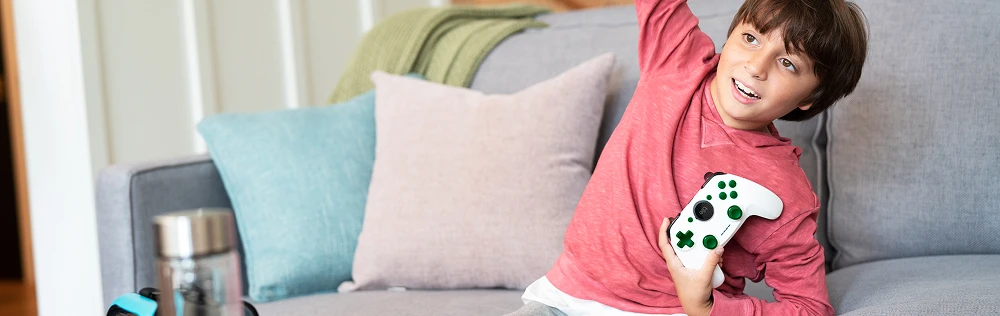
Are your gaming devices always getting lost? Do you or your kids constantly call out for help to “Find my Xbox controller”? Do you wish that there was a simple and convenient way to track down a lost video game controller in no time at all? Well, Tile has the perfect answer.
By attaching a Tile Bluetooth tracker to your video game controller and other gaming devices, you can keep track of them at all times. If a device ever gets misplaced Tile can help you find the missing controller, or track your GameCube controller with ease. This guide will cover everything you need to know to stay organized while gaming.
Stay on Top of Your Game With Tile Sticker
The Tile Sticker can help you take your gaming organization to the next level and defeat the final boss of missing controllers once and for all. Plus, it's so simple and reliable to use.
The Sticker is our smallest and most versatile Bluetooth tracker, and it works perfectly to track Nintendo Switch controllers, and can be stuck onto an Xbox or PlayStation controller too.
It comes ready to stick on to your controllers right out of the box, without interfering with the way you play. Thanks to the super strong adhesive, you can rely on the Tile Sticker to stay attached to your video game controller or Nintendo Switch without worrying about it falling off.
Here's how you can use the Tile Sticker to find my Xbox controller or locate any other missing gaming devices:
Attach the Tile Sticker to your video game controller or other game devices in a convenient location that doesn't interfere with you pressing the buttons, like the back of the pad.
Sync the Tile Sticker to the Life360 app on your phone, which you can download and start using for free.
Whenever you need to find the missing controller, simply open up the Life360 app on your phone, select the Tile you want to locate (if you have multiple), and press the button to ring it.
The Tile Sticker will then emit a loud ringing sound that you can follow to easily find your lost gaming devices in record time.
Use Tile Slim for Simple Game Controller Tracking
You can also use the Tile Slim to keep track of certain gaming systems, devices, and controllers, like the Nintendo Switch or even retro gaming devices like the Game Boy Advance or Nintendo DS.
The Tile Slim is our super-thin Bluetooth tracker. Shaped just like a credit card, it can easily slip inside wallets and cases, and it's great for protecting your gaming controllers and consoles from getting lost.
You can attach the Tile Slim directly onto the flat side or bottom of controllers and handheld gaming devices, like the Switch, providing protection without having any noticeable effect on your gaming experience.
You can also place the Tile Slim inside bags or cases that you use to carry your video game controllers around from place to place.
Here's how it works:
Attach the ultra-discreet Tile Slim either directly onto your gaming equipment or inside a case with your gaming accessories.
Sync the Tile Slim to the Life360 app on your Android or iOS device and customize the profile however you like.
When you need to find a missing controller or another lost gaming item, open up the Life360 app on your phone and ring the Tile Slim tracker.
You can then use the ringing sound to quickly and easily find your lost video game controller. In addition, if the controller happens to be out of range, you can use the map on your phone's Life360 app to see its last known location and track it down that way.
With the help of the Tile Slim and Tile Sticker, finding lost video game controllers couldn't be easier. This is a great and efficient way to keep track of all your gaming pads, headsets, and other accessories, too.
If you're the kind of gamer who wants to stay organized and avoid losing those all-important gaming essentials, you may want to consider a Tile Bluetooth tracker to keep your gaming gear safe.