Staying Safe While Using Tile Lost and Found Labels
Staying Safe While Using Tile Lost and Found Labels
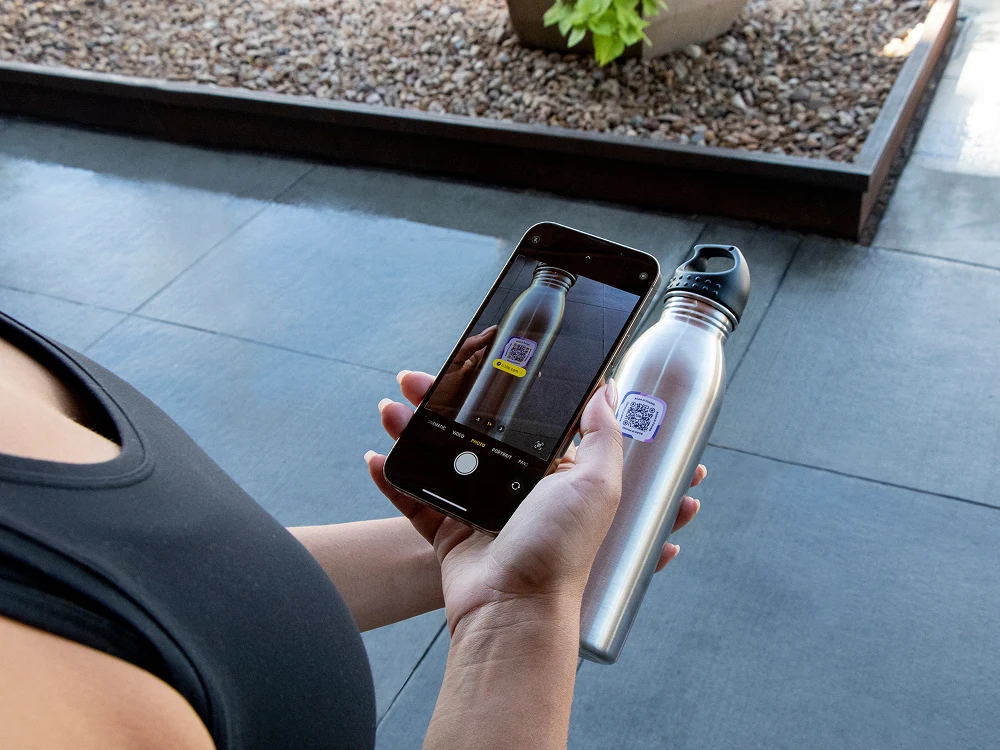
Tile Lost and Found Labels combine an adhesive QR code label with the Life360 app to seamlessly connect owners and finders. If the item is lost, the finder can simply scan the QR code label, clearly marked with the Tile logo, view the provided contact information and return the item.
Check out the suggestions below for both owners and finders on how to stay safe when using Lost and Found Labels.
Owners:
Finders:
Protecting your personal contact information
Lost and Found Labels require owners to input their phone number or email address so that the finder of the lost item can arrange to return the belonging.
Users have complete control over the contact information they choose to provide for the Lost and Found Labels. If you feel uncomfortable including your primary phone number or email address, there are a number of ways to keep this information private while still getting the benefit of Tile’s seamless lost and found network of owners and finders.
Services such as Google Voice allow users to set up an internet phone number that is not tied to identifiable personal information. By setting up a Google Voice account you receive a free phone number that can communicate via texts and calls to your iOS, Android, or web device.
If adding an email address in addition to, or instead of a phone number, you can set up an email that does not include your name, or any other personal identifiers.
Confirming that the Lost and Found Label is safe to scan
When you come across an item with a Tile Lost and Found Label, it's important to make sure the QR code is the real deal. Lost and Found Labels will always have the Tile logo prominently displayed near the QR code so finders can depend on the safety and quality of the technology. If there is not a Tile Logo then it is not an authentic Lost and Found Label.
Once you scan the Lost and Found Label, check the URL to make sure it takes you to a Tile webpage. If the domain name is different than tile.com exit out immediately. Additionally, Tile will never ask users to enter login, personal, or financial information to the Lost and Found page. If you are prompted to do so, it is not an authentic Lost and Found Label and you should exit the page.
Coordinating safe meet-ups
We encourage you to review the following tips for in person meet-ups to safely retrieve a lost item from a finder, in addition to using your best judgment:
Evaluate if it makes sense to have the finder drop the item off at a third-party location, allowing you to pick up the item without meeting face-to-face. This location could be the front desk at a public library, a local store, or a drop box or locker.
If meeting up with the finder is the best option, opt to meet in a neutral, public, and well-lit location. Avoid meeting up at your place of work, school, or favorite coffee shop that you frequently visit.
Share your meeting plan with a trusted friend or family member, so they know where you are and how long you expect to be there.
Avoid carrying valuables, or excessively large amounts of cash with you.
Pro Tip: Download Life360, Tile’s parent company, so that your Circle of family or friends can view your location when retrieving a lost item. Life360 members also have access to the SOS feature, which allows you to send a silent help alert with your location to your Circle, emergency contacts, and a 24/7 emergency dispatcher if needed.