How to Find Your Lost Passport Fast, All Around The World
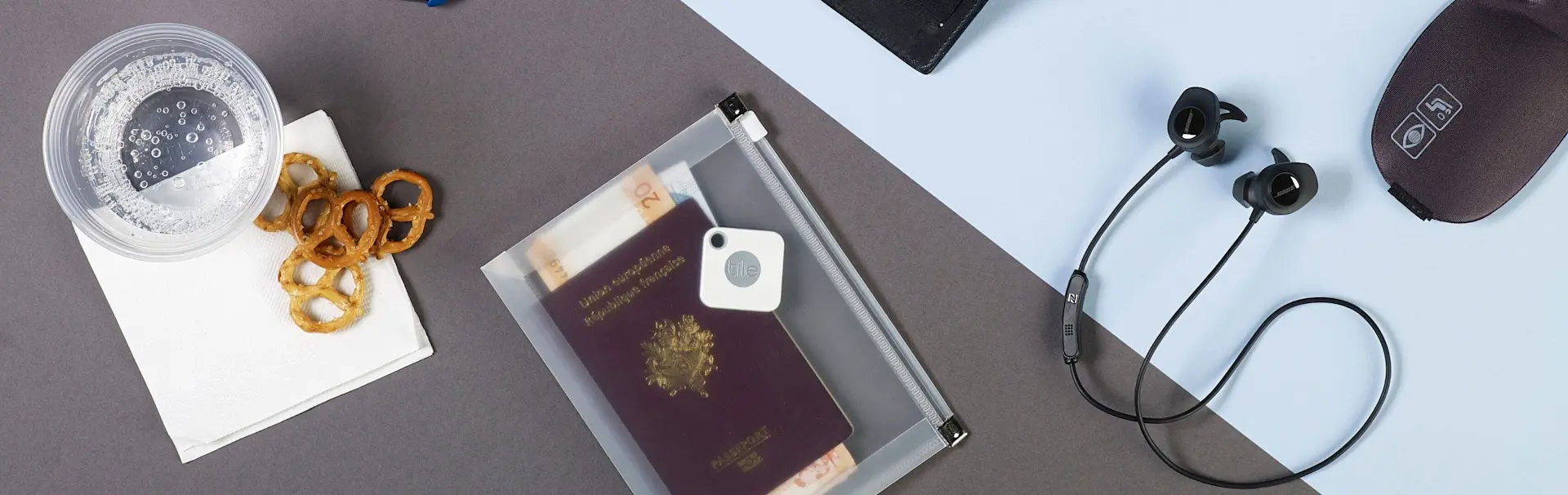
Have you ever started to pack for a trip and then realized your passport is missing? Nothing is more gut-wrenching than discovering this essential document has disappeared. If you lose your passport at home, you risk missing an expensive plane flight and ruining your travel plans.
When you lose it abroad, you might be stuck and unable to get home for weeks. While we know to use a luggage tag, another tip to keep these disastrous scenarios from happening to you, is to use a a Tile passport finder.
Find My Passport with Tile Passport Finders
Wondering, How can I find my passport with
Tile? Start by slipping a
Tile Slim or Tile Mate inside your passport cover. Sync it to the Life360 app, available for iOS and Android devices, and you're ready to go.
Our tracker batteries last for months or even years, so you can reliably locate your passport at any time. Since Tile runs on Bluetooth, you don't have to worry about cellphone service either. Even when traveling in areas not covered by your cellphone plan, you can still use Tile to track your passport.
How to Find Your Passport with Tile
Once you have the passport finder in place, you can use the app to keep track of it. If you can't remember where you stashed your passport after your last trip, just open the app, select the Tile for your passport, and tap Find.
The app will ring the Tile, setting off a ringtone you can follow to your passport's location. Thanks to the loud ring, you can even track down a passport buried inside a luggage pocket or stashed in a glove box.
If you lose your passport while out and about, the Tile Network is here to help. Marking your passport as lost will automatically and anonymously alert other Tile-connected devices to scan for your missing Tile. No one will know you lost your passport or see its location in their app.
However, if a device does come within range of your passport finder, the app will alert you to the passport's new location. This can be a life-saver if you left your passport in a bar or had it fall out of your bag while sightseeing.
Tips for Keeping Track of Your Passport
Now that you know a little about how Tile for passports works, try these pro tips for keeping track of your passport with Tile:
Make sure you install the passport finder on your passport cover or carrier, not the passport itself. Modifying your passport is illegal and may invalidate it!
If you lose your passport while traveling with friends, get your friends to install the app too. This ensures there will be more devices scanning for your lost passport.
Make sure to enable Bluetooth and location services to
always on
to keep things working at all times. It barely uses your cellphone battery, and leaving it running in the background ensures you get access to all our passport finding features.
Never Lose Your Passport Again
Select the right Tile for your passport by browsing our website or contacting our Help Center. Whatever Tile you pick, our Bluetooth passport finders can make your travel plans convenient and stress-free.