How to Track Everything at ®Disney World Without Losing Your Mind
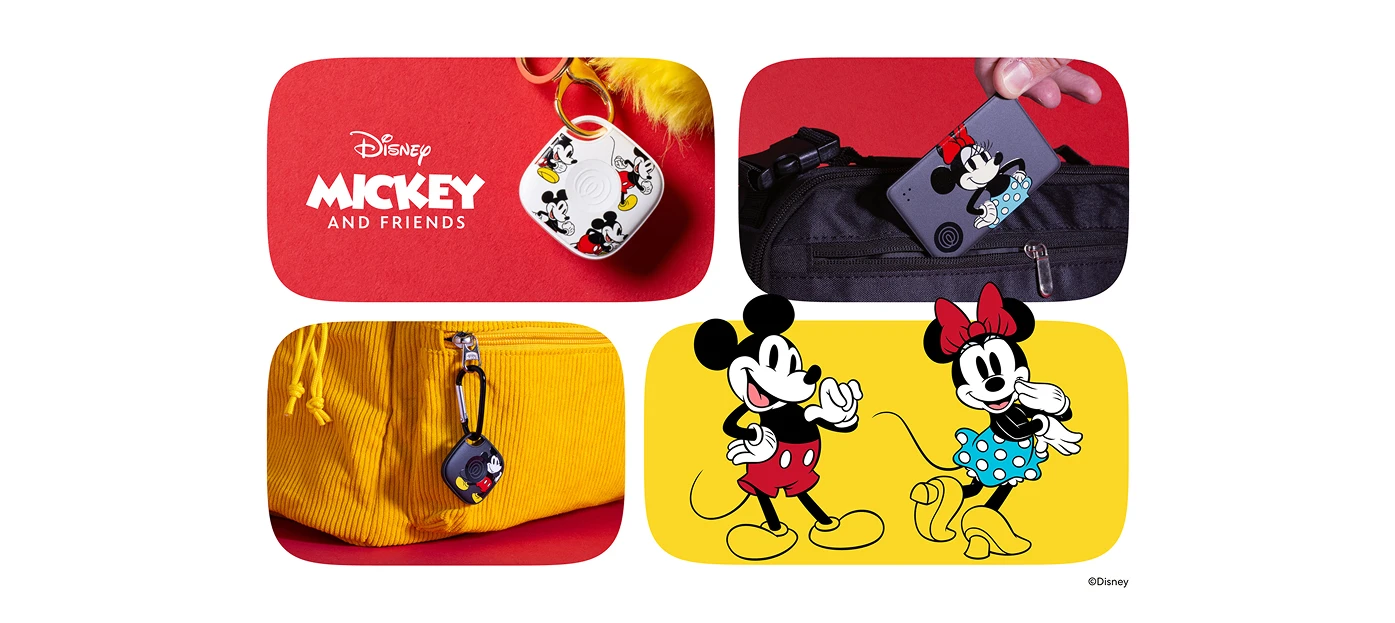
You've got the tickets. The matching outfits. The plan. And roughly a thousand dollars of stuff shoved into a bag that your four-year-old is about to use as a stepstool.
Welcome to ®Disney World — the most magical place on earth. And with a little preparation, you can keep it that way. Because the magic hits different when you’re not hunting for your sunglasses, your wallet, or — briefly, very briefly, but still — your kid.
Here's the system that keeps it all together — so the memories you make are the good kind.
The quick answer
Bring your tickets in the app, ID, a payment method, a fully charged phone, a battery pack, sunscreen, ponchos, water, snacks, and your kid's gear. Then solve the two things that actually ruin park days: get your whole family on Life360 so everyone's on one shared map, and put a Tile on your bag, wallet, stroller, and phone so you can find your stuff the second it goes missing.
The rule is simple. Life360 tracks people. Tile tracks things. That's it. That's the whole game.
What to bring to ®Disney World: the essentials
Pack light. Pack smart. Plan for sunshine, spontaneous rain, and the kind of fun that wears everyone out in the best possible way.
Documents, payment, and your phone
Park tickets and reservations in the ®My Disney Experience app
ID and a payment method (tap-to-pay means one less thing to dig for)
A fully charged phone and a battery pack with a cable — your phone is your ticket, your map, your camera, and your tracker. Don't let it die.
Weather and comfort
Sunscreen, sunglasses, hats
Ponchos — buy them before you get to the gate, because the afternoon storm isn't a maybe
A refillable water bottle and a small hand fan
Kids and toddler gear
Stroller (label it — every stroller looks identical once you're inside)
Snacks and a change of clothes for the little ones
A recent photo of each kid saved to your phone, right now, before you need it
The easy-to-lose stuff
Phone, ear buds, wallet, keys, sunglasses — the small, expensive, slippery things that vanish in crowds
That last list? That's the one that costs you. Let's deal with it.
Your family. Your stuff. One app to find all of it.
Life360 keeps everyone on one map. Tile rings whatever went missing. Set both up tonight so tomorrow's the easy part.
People vs. things: two different problems, two different tools
Here's the thing nobody tells you before your first big park day: tracking your family and tracking your stuff are completely different problems. That’s exactly why Life360 and Tile work together — one map for your people, one network for your gear.
Track your family with Life360
Life360 puts every family member's phone on one shared map — iPhone, Android, whatever mix your crew is carrying. You can see where everyone is in real time and set a Place Alert at your designated meet-up spot, so you get a ping the moment someone arrives or leaves. No frantic texts. No group-chat chaos. Just one map.
Track your gear with Tile
A Tile is a small Bluetooth tracker you clip to a bag, slip into a wallet, or attach to a stroller. Lost it? Ring it directly from the Life360 app. Out of Bluetooth range? Tile's 95-million-device finding network quietly helps to locate its last known spot. And unlike Apple AirTag®, Tile works on both iPhone and Android — which matters when your family's carrying a mix.
How to not lose your kids at ®Disney World
Fifty thousand people in one park. Crowds move fast, and so do kids. Have the plan before you walk in.
Pick a meet-up landmark in each park and a simple rule: if we get separated, we go here. Say it out loud to your kids on the way in.
Set a Life360 Place Alert at that spot. You'll get a notification the moment someone arrives — no shouting across a crowd required.
Tell your kids to find a cast member — the ones with name tags — if they can't find you. ®Disney cast members are trained for exactly this.
If separation happens, open Life360, check the map, and head to your meet-up point. Calm wins every time. A plan beats luck.
How to not lose your stuff: a 60-second Tile setup
Do this the night before. In the hotel. While the kids are asleep and you finally have two minutes.
Open the Life360 app and pair each Tile — it takes about a minute per tracker.
Put one on the diaper bag, one on the stroller, one in your wallet or clipped to your keys, and a sticker-style Tile on the back of your phone.
Ring each one from the app so you know exactly what sound to listen for.
Then in the park: bag not where you left it? Ring it. Stroller lost in a sea of identical strollers? Ring it. Phone slipped out of a pocket on Space Mountain? (It happens.) Check the last known location and let the finding network do the work.
Lost stroller? Lost wallet? Not your problem anymore.
Life360 + Tile means you ring what's missing and check the map for who's wandered off — so you can get back to actually watching the parade.
A few ®Disney hacks that make tracking easier
Rope-drop the headliners first, then take a midday break before the heat and the meltdowns peak. Everyone's happier. Rides are shorter in the evening anyway.
Mobile order lunch — one less line, one less moment of juggling trays, toddlers, and a stroller you're trying not to lose.
Charge everything every night. Your tracking only works if your battery does. The power bank is not optional.
Your ®Disney packing + tracking checklist
Screenshot this. Or print it and tape it to the suitcase. We won't judge.
Park tickets + reservations (in the ®My Disney Experience app)
ID + payment method
Phone + battery pack + cable
Sunscreen, sunglasses, hats, ponchos
Water bottle + snacks
Stroller + kid gear + change of clothes
Recent photo of each child saved to your phone
Whole family set up on Life360 + meet-up Place Alert configured
Tiles on bag, stroller, wallet/keys, and phone
Track it all — before you ever reach the gate
A thousand dollars of stuff. The most important people in your life. One very big park.
Get your family on Life360, clip a Tile to everything that matters, and spend the day actually watching the parade instead of scanning the crowd.
That's what the magic is supposed to feel like.
One map. One app. Zero "where did it go?"
Get your whole family on Life360 before you hit the gate — because the magic works better when you're not scanning the crowd.