Best Luggage Tracker 2026: Never Lose Your Bags Again
Summary
What this article covers:
A clear breakdown of how luggage trackers work, the difference between GPS and Bluetooth tracking options, what to look for before you buy, and which tracker makes the most sense for your travel style.
Who It's For
Frequent travelers are tired of wondering where their checked luggage ends up
Anyone who has dealt with lost luggage and never wants to go through it again
Families packing for a big trip who want peace of mind from gate to baggage claim
Android users and iPhone users are trying to figure out which tracker actually works with their phone
Pet parents and families already using Life360 who want to protect their bags, too
Key Takeaways
Luggage trackers rely on either GPS or Bluetooth technology, and they work very differently from each other.
GPS trackers tap into satellites and cellular networks for wide-area tracking. Bluetooth trackers work by pinging nearby devices and drop off once you're out of range.
Battery life, airline compliance, and phone compatibility all matter before you commit to a tracker.
Apple AirTag works best for Apple users. Tile works across both iOS and Android. Life360 brings everything together on one map.
The best luggage tracker is the one that fits how you actually travel, not just the one with the best marketing.
You packed your bags the night before and you triple-checked the zipper. You got to the airport with time to spare. Then your suitcase went somewhere entirely different.
Lost luggage is one of those travel nightmares that feels impossible until it happens to you. Airlines misplace or delay millions of bags every year, and when it's your bag sitting in some unknown airport, the panic is real. A luggage tracker does not guarantee your bag arrives on time, but it does tell you exactly where it is so you can stop guessing and start doing something about it.
Before you toss a luggage tracker in your bag and call it done, it helps to understand what you're actually getting.
How Luggage Trackers Work
Every tracker on the market communicates through a signal. The type of signal determines how far it reaches, how accurate it is, and how useful it becomes when your bag goes missing.
GPS trackers tap into satellites to calculate a location, then send that data to your phone through cellular networks. This is the same technology behind turn-by-turn navigation. The location shows up on a map, updates frequently, and works across long distances. If your bag ended up in a completely different city, a GPS tracker tells you that with a clear pin on a map.
Bluetooth trackers work differently. Instead of connecting to satellites, they ping nearby devices. When another smartphone running the same app passes close enough to your tracker, it picks up the signal and updates the location. Within a short distance, that works well. Once your bag is beyond Bluetooth range, usually a few hundred feet at most, you lose the real-time picture entirely.
That gap in how luggage trackers work is the most important thing to understand before buying one.
Your bag, your family, your stuff. One map.
Life360 and Tile work together so your luggage travels on the same map as your people — no extra apps, no extra logins, no panic at baggage claim.
GPS Trackers vs. Bluetooth Trackers for Your Luggage
The best comparison comes down to range and reliability when it matters most.
What GPS Tracking Gets Right
GPS trackers give you location data no matter where your bag ends up. They tap into satellites and cellular networks independently, which means distance is rarely the problem. For checked luggage that might travel through three airports before reaching yours, GPS is the stronger option.
The tradeoff is size, battery life, and cost. Most GPS-based tracking devices require a monthly subscription to cover cellular data, and they tend to be bulkier than their Bluetooth counterparts.
Where Bluetooth Trackers Still Shine
Bluetooth trackers shine in scenarios where your bag is nearby, but you can't find it. Lost in a crowded baggage claim? A Bluetooth tracker with an audible alarm can help you locate it fast. Some devices also support precision finding, which guides you directionally toward the tracker.
The limitation hits when your bag is actually lost. In low-traffic areas with few nearby devices to relay the signal, Bluetooth trackers become much less effective.
The short version: GPS works better for finding truly lost luggage. Bluetooth works better for locating a closed bag that is out of sight.
What to Know About Airline Rules and Airplane Mode
Before you decide which tracker to bring on your next flight, this matters.
Most airlines require that electronic devices with cellular connectivity be placed in airplane mode during flight. GPS trackers that use cellular networks fall into that category. Some trackers automatically detect when they're on a plane and switch into a low-power or airplane mode on their own. Others need to be manually adjusted before your flight.
Bluetooth trackers generally do not transmit in a way that interferes with aircraft systems, so they're typically allowed as-is. That said, policies vary by airline, and it's worth checking before you travel.
The FAA and most major carriers have warmed up to small tracking devices in recent years, but the safest approach is still to review the specific airline's policy before you pack one in your checked luggage.
Battery Life and What to Expect
Battery life varies quite a bit depending on the type of tracker and how actively it's updating your location.
GPS Tracker Battery Life
GPS trackers that run on cellular networks use more power because they're doing more work. Depending on the model and how frequently it updates, you might get anywhere from a few days to two weeks on a single charge. Some offer a low-power reserve mode that stretches the battery significantly when you're not actively tracking. If you travel often, this is worth paying close attention to because a dead tracker is just extra weight in your bag.
Bluetooth Tracker Battery Life
Bluetooth trackers tend to last much longer on a single battery, sometimes months. Many use a replaceable battery, which makes maintenance simple. You swap it out when needed and keep going. The tradeoff, again, is that you're trading range for longevity. Longer battery life is great. It just does not compensate for limited coverage when your bag is genuinely missing.
A Look at the Most Popular Luggage Trackers
Apple AirTag
The AirTag is designed for Apple users and works within the Apple Find My network. It uses Bluetooth to communicate with nearby Apple devices, which relay the location back to you through the app. In areas with a high density of iPhone users, like major airports, the coverage is actually pretty solid. Precision finding is one of its standout features, using your iPhone's camera and sensors to guide you directly toward the tag.
The limitation is obvious: this only works well in the Apple ecosystem. Android users get nothing from an AirTag. If your family runs a mix of iOS devices and Android devices, the AirTag only covers part of your crew.
Tile and Tile Pro
Tile is one of the most widely recognized names in Bluetooth tracking, and for good reason. It works across both iOS and Android, which makes it a better fit for mixed-device households. The Life360 app connects your tracker to a network of nearby Tile users who help relay location updates even if you're not close.
The Tile is compact and affordable, making it easy to toss in a bag or wallet. The Tile Pro offers a longer Bluetooth range and a louder audible alarm, which comes in handy in a busy baggage claim. Both use a replaceable battery, so maintenance stays simple.
Where Tile falls short is the same place all Bluetooth trackers do. In areas without many nearby devices, the network gets thin. If your luggage is sitting unattended in a storage facility or a remote airport, the signal chain can break.
Everything you travel with. One place to find it all.
Tile trackers inside Life360 means your bags, your family, and your pet are all on the same map — before you even board.
Life360 and Tile Together
If you're already using Life360 to keep an eye on your family, your pet, and your important stuff, Tile trackers integrate directly into the same map. Your luggage, your keys, your bag, and your people all appear in one place without juggling multiple apps.
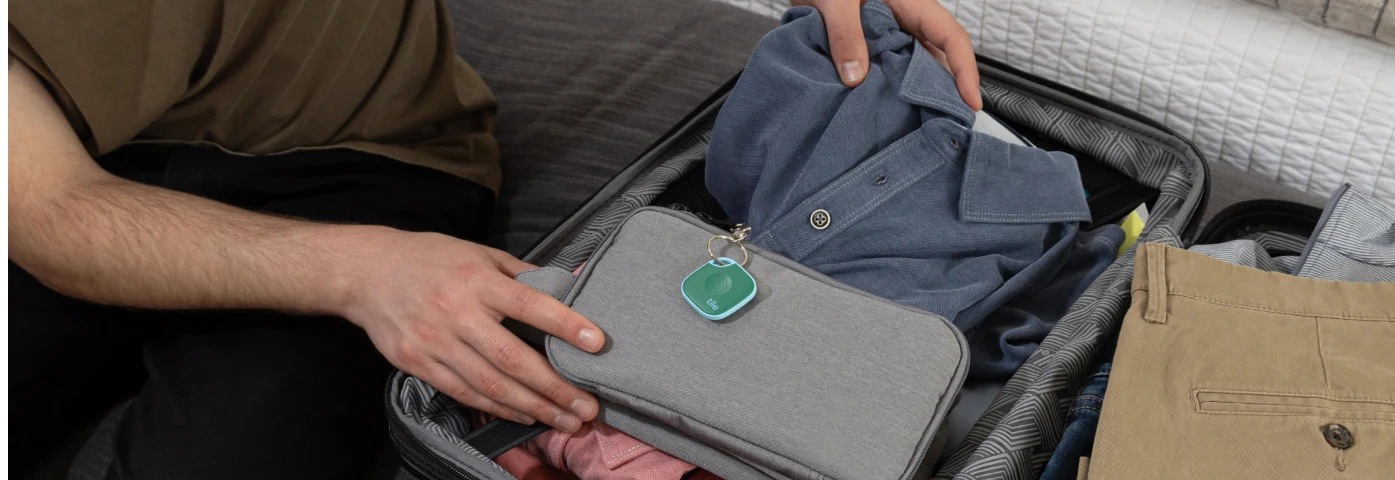
For travel specifically, attaching a Tile to your suitcase means your whole circle can help you locate it. If someone in your Life360 circle passes near your bag, the location updates automatically. It's a quiet, practical safety net that works in the background while you focus on actually getting to your destination.
Choosing the Right Tracker for Your Travel Style
If you take international trips with multiple connections, GPS-based trackers offer the most reliable coverage. The wider the range, the better your chances of locating your bag, even if it ended up on the wrong continent.
For domestic trips or shorter travel, Bluetooth trackers handle most real-world scenarios well enough, especially in airports where plenty of other users can relay your signal. The Tile Mate is a low-maintenance, affordable option that fits easily in checked luggage or a backpack.
Android users should pay close attention to compatibility before buying. The Apple AirTag is effectively off the table for Android. Tile and Life360 work across both platforms, which makes them more flexible for households that mix smartphones.
And if you travel with your whole family, your pet, and all the things that tend to go missing at once, bringing everything into the Life360 app means one less thing to manage on the road.
A Few Practical Tips Before You Pack Your Tracker
Attach it somewhere secure. A small loop or clip inside the main compartment works well. Avoid spots near zippers where the tracker can shift or snag.
Check the battery before you leave. Charge it fully, or confirm the replaceable battery is fresh. A tracker at 10% is not going to last through a three-day delay.
Set up the app at home. Troubleshooting the setup at the airport is not fun. Make sure everything is connected and tested before your trip starts.
Handle airplane mode before you board. If you're using a GPS tracker, check whether it needs to be manually switched. Some handle this automatically. Others need a quick adjustment.
Label your luggage clearly on the outside, too. A tracker helps you find the bag. Clear identification helps the airline reunite it with you faster once it's located.
Final Thoughts
For most travelers, a Bluetooth tracker like the Tile Mate or Tile Pro reliably handles everyday travel scenarios without much hassle. If you travel frequently with checked luggage on long-haul routes, GPS trackers offer wider coverage when the stakes are higher.
Life360 brings it all together. Tile trackers work inside the Life360 app, so your bag, your family, and your important belongings live on one shared map. It's not just about finding lost items. It's about knowing where everything is so you can travel with a little more confidence and a lot less panic.
Learn more about how Life360 keeps your family, your pets, and all the things you care about in one place.
Travel with confidence. Not crossed fingers.
Life360 keeps your bags, your family, and everything you care about on one shared map — so the only thing you have to worry about is what to order on the plane.