HomepageLife360 logo
Pet SafetyMembership PlansShopSale
Get started
Core Tile 1

Tile

Small size, big features

Core Tile Pro 1

Tile Pro

Longest range

Core Tile Slim 1

Tile Slim

Fits anywhere

Core Tile Sticker 1

Tile Sticker

Sticky to stay put

ImageAsset

Sale

Shop Limited Time Deals!

  • New Arrivals
  • Custom Branded Tiles
Explore Tile Trackers
da762308-f79a-471f-b73b-479cce75a91b 1

Location Sharing

See they’re safe — no calls or check-ins needed.

nav-driving-safety

Driving Safety

Wherever they’re headed, we’ll be along for the ride.

All Articles

MSI Laptops are Now Powered With Tile Finding Tech
Published: 28 Mar 2022

• The Partners
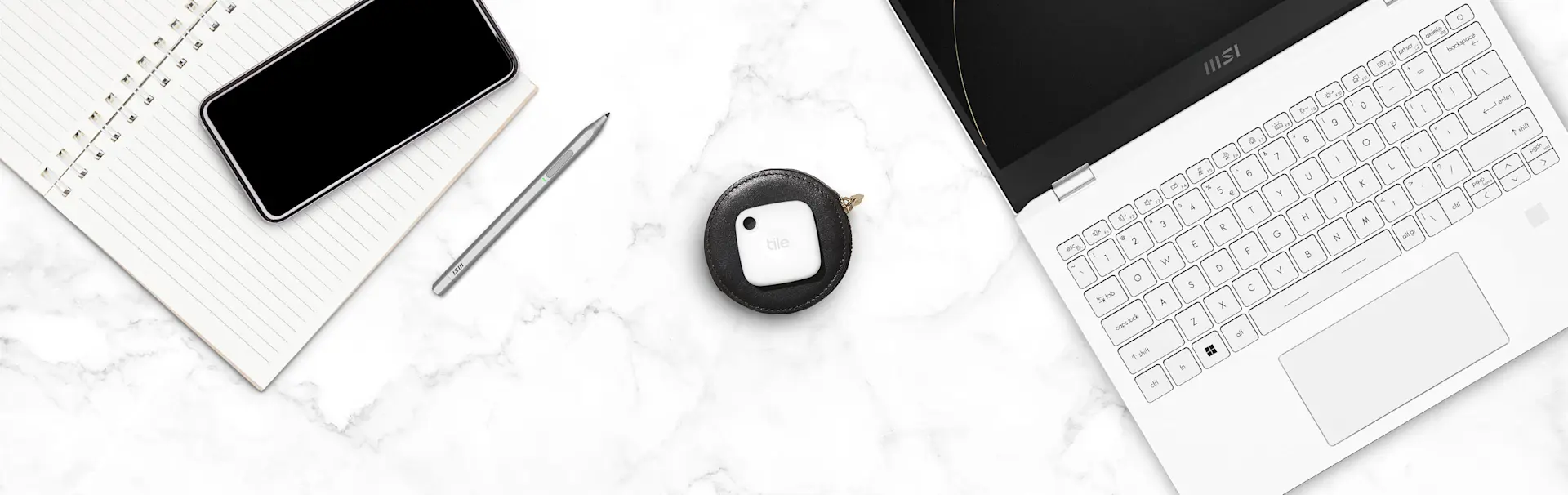
A Tile mate key finder and an MSI laptop

Beginning today, supported MSI’s Summit Series and Prestige series will be available with Tile Finding technology pre-installed on the PC. These new laptops join the growing lineup of Tile-enabled products. This new integration makes it incredibly easy for consumers to access Tile’s tracking technology on their laptops - simply go to the Life360 Windows App, create an account, and activate the PC as a Tile. You’ll then be able to find your laptop using the Life360 Mobile app that works with Android™ and Apple® devices. 

How to use Tile on your MSI laptop 

You’ll now be able to ring your laptop at a range of up to 200 feet, even if it’s turned off! As long as your laptop battery has power, you can find your laptop when it’s on, in hibernate, sleep, or power off states.

Find out how to activate Tile on your MSI laptop here. 

What if you’re trying to find your laptop with the Tile mobile app, but the “Find” button isn't visible? This means that your laptop isn’t within Bluetooth range, and you’ll be able to see your laptop's “last known location”. Tile’s last place seen feature records the last known location that your laptop and the Life360 app connected, so you can easily retrace your steps. 

If for some reason you’re still unable to locate your MSI laptop, you can enlist the secure and anonymous help of the Tile Network. Simply tap “Notify when found” in the mobile app and you’ll be notified when your Tile's location is anonymously updated by any Life360 app user or Life360 Network Extender nearby. 

Our partnership with MSI is just the latest addition; Tile is also significantly growing its presence in the PC category with the addition of several Intel-powered laptops, including models from Lenovo, and Fujitsu.

Related Products
Black Pro (2022)Black Mate (2022)Black Slim (2022)Sticker (2022)
Related Articles
Latest Lenovo ThinkPad X1 laptops are here, and they’re Powered by TileQALO Dog ID Tags now have Tile’s Bluetooth finding technologyAmazon Sidewalk is About to Strengthen the Finding Power of Your TilesNow You Can Find Your Lost Fitbit Inspire 2 With Tile
  1. Home>
  2. Blog>
  3. The Partners>
  4. MSI Laptops are Now Powered With Tile Finding Tech
Sign up to get 15% off your first order of Life360 Bluetooth trackers.

By entering my email and clicking submit I agree to receive Life360 emails with exclusive updates, offers, and personalized messages (e.g. cart reminders). I have read and agree to the Life360 Terms of Service and acknowledge the Privacy Policy.

App Store ButtonGoogle Play

Company

AboutOur TeamCareersPartner with UsCustom Branded TilesPressTrust & SafetySustainabilityEnterprise Tracking Partnership

Support

Help CenterActivate a Tile TrackerBlogMember ProtectionOrder StatusShippingWarranty & Refund PolicyReport a Security Vulnerability

Legal

Law Enforcement GuidelinesReseller PolicyTerms of ServicePrivacy PolicyDeclaration of ConformityPrivacy Options icon

©2026 Life360, Inc.
TILE and the TILE design are trademarks of Tile, Inc., a subsidiary of Life360, Inc.

*Free shipping on orders over €60 (excludes Austria, Bulgaria, Canary Islands, Czech Republic, Iceland & Portugal)*

  • Twitter Opens in a new tab
  • YouTube Opens in a new tab
  • Facebook Opens in a new tab
  • Instagram Opens in a new tab
  • LinkedIn Opens in a new tab