Dog Park GPS Etiquette: Tracking Without Hovering
Summary
What this article covers:
A practical guide to using GPS trackers at the dog park the right way, including how to set up geofences before you arrive, when to check your phone and when to put it away, and why recall training is still your first line of defense.
Who it’s for
Pet parents who use or are considering a GPS tracker for dog park visits
Anyone whose dog is an escape artist, flight risk, or just a little too adventurous off-leash
Families who want off-leash freedom for their dog without the constant anxiety
New dog park visitors trying to figure out how tech fits into responsible play
Key Takeaways
A GPS tracker is a safety net at the dog park, not a substitute for watching your dog
Geofences work best when you set the park boundary before you walk through the gate
Recall training is the most important skill your dog needs off-leash, and a tracker is the backup plan for the one time it doesn't work
Life360 Pet Safety puts your dog on the same map as your family so everything is in one app
Good GPS etiquette means staying present so you can actually enjoy watching your dog run
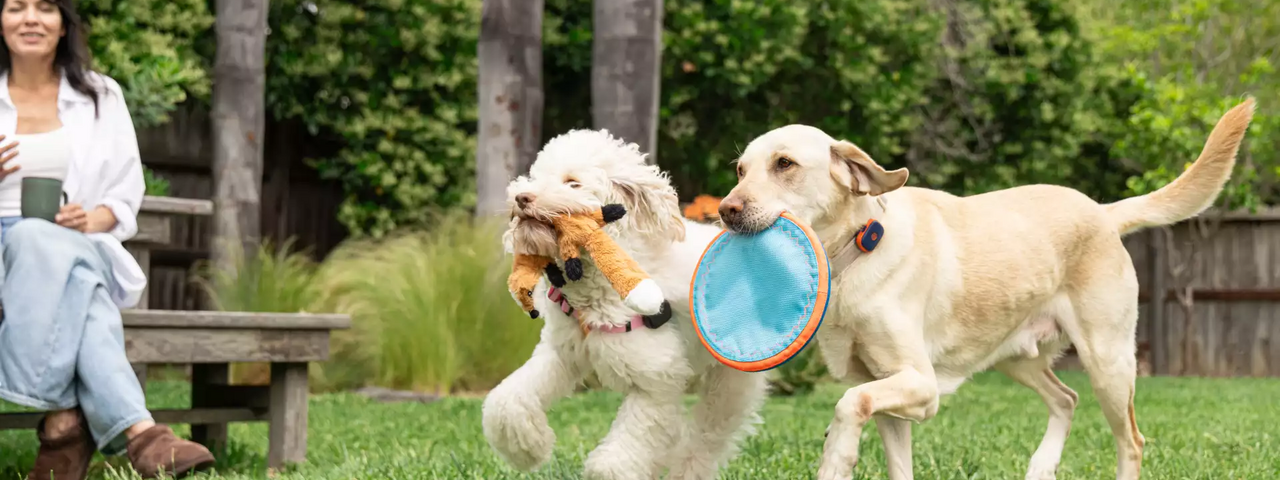
Your dog hits the gate, you unlatch it, and they are off like a shot before you have even finished saying their name. Three seconds later they are deep in a zoomie spiral with four other dogs and the only way you can identify yours is by the bright orange collar you specifically bought for this reason. The first few minutes at a dog park are pure joy. Then, somewhere around the five-minute mark, the brain starts doing its thing. Where are they? Did that gate fully close? That other dog is a lot bigger than yours. The fun feeling and the anxious feeling coexist, and most pet parents know exactly what that combination feels like.
A GPS tracker on your dog's collar helps with the second feeling without taking anything away from the first. GPS use at the dog park can actually create more anxiety, not less, and it looks like this: phone out, app open, eyes on the little dot on the map instead of the actual dog running in front of you. Getting the most out of GPS at the dog park means knowing when it’s working in the background and when you actually need to look at it. This guide covers both.
Set the boundary before they hit the gate.
Life360 Pet Safety lets you save your dog park as a Place once, so the geofence and Escape Alerts are ready on every future visit.
Why a GPS Tracker Belongs at the Dog Park
Dog owners know that dog parks are fenced, but fencing alone is not foolproof. Gates get bumped, latches fail, and some dogs are athletic enough to clear a fence that would stop a less motivated escape artist. Even well-trained dogs can get startled by a sudden scuffle, a loud noise, or another dog barreling at them from the wrong direction, and a spooked dog does not always run toward you. They run away from the thing that scares them, which sometimes means finding the one weak point in the perimeter and using it to their advantage.
This is the value of dog park GPS. It fills the small but very real window between a dog bolting and you realizing they are gone. Life360 Pet Safety taps into satellites and cellular networks for real-time location updates, so if your dog does get out, you’re not starting from zero. You open the app and see your dog's current location and where they went. That is a fundamentally different situation than standing outside the fence calling a name and hoping.
The Right Role for GPS at the Dog Park
There is a real distinction between using GPS to support your attention and using it to replace your attention. At an off-leash park, the most valuable data is what’s happening in front of you, not what’s on your screen.
Dog park safety is heavily dependent on reading body language, both your dog's and the dogs around them. A stiff posture, a hard stare, a dog who keeps getting cornered without a way out, a play session that tips from mutual into one-sided: these are the signals that let you intervene before a situation escalates. A GPS tracker cannot read those signals for you. Staying engaged is what catches the moment before it becomes an incident.
The right etiquette is to let the tracker work in the background. Set your geofence before you arrive, turn on Escape Alerts, and then put the phone in your pocket. Check the map when you lose visual, when your dog disappears into a crowd, or when something changes in the environment that makes you want to confirm where they are. Use it as confirmation, not as a live scoreboard you refresh every 30 seconds.
Recall is the plan. GPS is the backup plan.
When even a great recall dog gets spooked, Life360 Pet Safety tells you exactly where they went, so you're not starting from zero.
Set Up Your Geofence Before You Walk Through the Gate
A geofence is a virtual boundary you create in your tracker's app, and when your dog crosses that boundary, you get an alert. It sounds simple because it is, but the setup detail that most people skip is timing. Configuring a geofence while your dog is already inside the park and running full speed in seven directions is not the move. Do it in the parking lot, or better yet, set it up for your regular dog park at home before the visit even starts.
The boundary placement matters just as much as the timing. Setting the geofence to match the exact perimeter of the fenced park means an alert fires when your dog actually exits, not when they run to the far end or disappear into a crowd near the fence. Giving the boundary a little room outside the physical fence is the right approach. That way, the alert is telling you something actually went wrong, not just that your dog ran fast in an interesting direction.
Life360 Pet Safety lets you create a custom Place for any location, including your regular dog park. You set the boundary once, and on every future visit it is already configured and ready. The Escape Alert fires automatically when your dog crosses outside that zone, so you do not have to think about it during the visit. Set it before you leave the house, put the phone away at the park, and the app handles the rest. This gives you quick access to location information if your dog leaves the designated area. If you're looking for dog parks near you, a dog park locator can also help you find a nearby park and compare features before you head out. Check the park's features to make sure the space fits your dog's needs before you visit. Park hours can vary by location, so check the latest information before you go.
Recall Training Is Still the First Line of Defense
A GPS tracker tells you where your dog went after they left. Recall training is what stops them from leaving in the first place. These are two different tools, and they work best together rather than as substitutes for each other.
A reliable recall in a low-distraction environment does not automatically translate to a dog park. Off-leash parks are genuinely high-distraction spaces, and many dogs who come perfectly when called in the backyard will look right at you and keep running when there are nine other dogs doing something interesting. Building recall that actually holds at a dog park means practicing it in progressively more distracting environments over time, not just assuming the backyard version will hold up when it counts. The skill needs to be stronger than the environment it is being tested in.
One practical way to build that check-in instinct is to reward your dog for voluntarily returning to you during free play, not just when you call them. Every time your pup runs back to you on their own, they get something worth coming back for. Over time, that creates a dog who orbits back to you naturally instead of one who only returns when the fun stops. VCA Animal Hospitals describes this as radius training, where a dog learns to stay within a comfortable distance without a cue. That instinct is the foundation of real off-leash safety, helping your dog stay within a comfortable distance while making the dog park experience more enjoyable for everyone.
GPS tracking backs all of that up. It gives you fast recovery when recall does not work, which happens to every dog eventually. A tracker is not an admission that your dog has bad recall. It’s the plan for the one visit where even a great recall dog gets spooked and runs. For pet parents who want a low-cost backup layer, the Life360 Pet Tag gives any finder an instant way to reach you through the Pet Finder Network, no app required.
How to Use Your Phone at the Dog Park Without Missing the Whole Thing
Staying present at a dog park is partly about safety and partly about the experience you came for. Your dog having the best 45 minutes of their week is the whole point, and spending that time staring at a dot on a map is a strange way to participate in it.
The good news is that a well-configured GPS setup requires very little active attention. With Life360 Pet Safety, the Escape Alert does the monitoring for you. If your dog exits the geofenced area, your phone notifies you. You do not have to keep refreshing to see if the boundary has been crossed. The app tells you when something changes, which is exactly the setup that lets you put the phone in your pocket and watch the actual dog instead of the digital version of them.
When the app is working in the background, your energy can go to the things that actually matter at a dog park: watching for signs of overstimulation in your dog, monitoring group play dynamics, and staying engaged with the activities around you so you can call your dog over before a tense situation escalates. That is where your attention pays off. The tracker handles the one scenario where you lose visual and need fast location data to recover quickly.
Your dog is part of the family. Now they can be on your family map too. Life360 Pet Safety tracks your dog in real time, sends Escape Alerts when they leave a safe zone, and lives in the same app as your people and your Tiles. No switching between apps, no wondering where the whole crew went.
Your dog belongs on the family map too.
Life360 Pet Safety tracks your dog in real time and lives in the same app as your people and your Tiles, no switching apps required.
Frequently Asked Questions
Can I use a GPS tracker instead of watching my dog at the dog park?
No. A GPS tracker tells you where your dog is, not how your dog is doing. Dog park safety depends on reading body language in real time, knowing when play is going well and when it is tipping into something more stressful. That requires eyes on the dog, not eyes on a screen. A tracker is a safety net for the moment you lose visual or your dog exits the park, and it does not replace presence.
How do I find a dog park and set up a geofence?
If you're looking for a dog park in your city, start by choosing the location you plan to visit. Open the Life360 app and create a Place at your dog park's location. You can also use the app to search for and find locations before your visit. Set the boundary radius to match or slightly exceed the physical perimeter of the fenced area. Once you save it, the geofence is ready for every future visit automatically. If your dog crosses outside that zone, you will get an Escape Alert. Setting this up before you leave home, rather than in the parking lot, makes the whole visit smoother from the start.
Will GPS work inside a dog park with a metal fence?
GPS signals can experience minor interference from dense metal structures, but outdoor environments like dog parks are where cellular-based trackers perform best. Life360 Pet Safety taps into satellites and cellular networks, and open-sky conditions give you the most reliable real-time updates. If you notice any delay, stepping away from the fence line into the open area of the park usually resolves it quickly.
Does my dog still need a GPS tracker if they have solid recall?
A solid recall is genuinely one of the best things you can train for, and it is the most important skill your dog can have off-leash. A tracker is the plan for the situation where even solid recall does not hold: a startled dog, a gate that swings open unexpectedly, a moment of distraction on a particularly chaotic afternoon. Most pet parents who have needed a tracker were not expecting to need it on that particular visit. Recall is the first line of defense, and GPS is the backup.