Looking For Your Tablet? These Tips Will Help You Find it Faster

How Do I Find My Tablet?
The portability of tablets makes them a convenient tool for work at home or on-the-go, but their convenient size also means they are very easy to lose. When you bring your tablet everywhere with you, you are more likely to leave it behind. Even at home, it is common for slinky tablets to slip out of sight, ending up beneath cushions or behind furniture. If you're tired of wondering, How will I find my tablet this time?
it's time to try Tile. Tile is the ultimate method for keeping track of your device--even when it's powered off or offline.
Track Your Tablet With Tile
Instead of dumping out your backpack, turning coat pockets inside out, and digging under car seats, you can just use Tile to find your tablet. Tile tablet trackers work with Bluetooth to keep you up to date on your tablet's whereabouts. To start tracking, all you need to do is slip a Tile Slim into your tablet case or stick a Tile Sticker directly onto the back of your tablet and download the Life360 app.
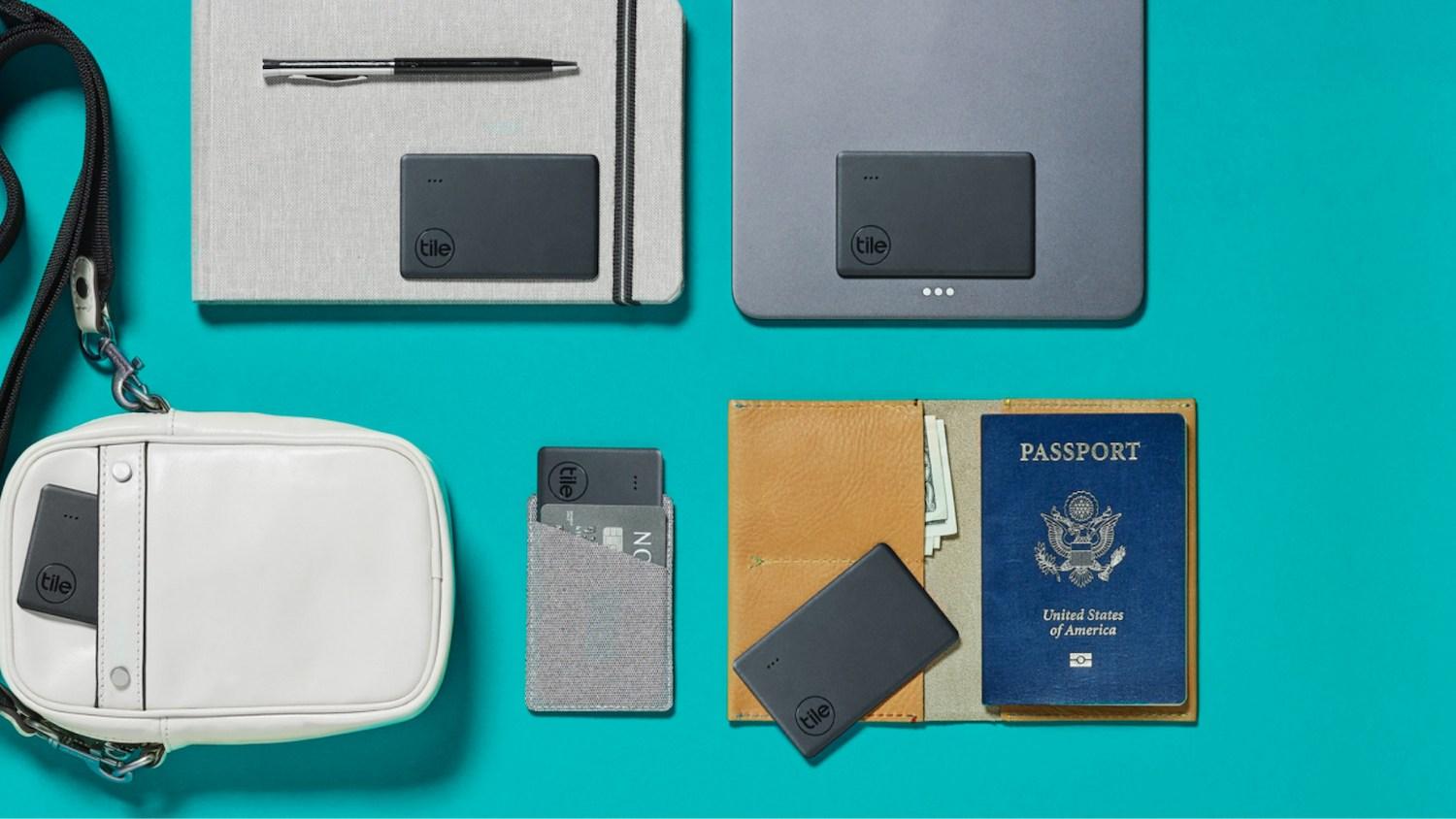
The next step is to follow the instructions to pair your Tile device with the Life360 app, so you can easily use the Life360 app to find your tablet whenever it goes missing. This cuts back on the amount of time you spend hunting down rogue electronics, so you can get back to gaming, working, or watching your favorite shows. If your tablet stores memorable photos, important work documents, or other priceless data, Tile also gives you peace of mind. Even if your tablet is stolen or lost far away, you have a better chance of recovering your belongings.
With all the tracking apps available, you might be wondering why you need a dedicated tracker just for your tablet. Adding a Tile to your tablet is important because it will keep working even if your tablet turns off. Typical find my tablet
apps and programs can only work as long as your tablet is running and connected to the internet. Thieves know this, so they often turn off a tablet until they can disable tracking software.
Trackers that quit working when your tablet turns off are also a problem if your tablet goes missing with a low battery. A Tile means you don't have to frantically hunt for your tablet in a race against time. Even if it takes a couple of days to realize your tablet is missing, Tile will still be there. Long after your tablet has run out of battery or been switched off by a thief, Tile keeps sending out tracking data.
How Tile's Tracker Works
Tile is the ideal tablet tracker due to its convenient method of hunting down lost items. When you lose your tablet, just pull out your phone instead of searching high and low for your device. Select the Tile attached to your tablet, and tap Find.
As long as your tablet is within Bluetooth range, you can ring your Tile. Then, you just follow the sound until you find your tablet hiding underneath a couch or inside a piece of luggage.
When your tablet is out of Bluetooth range, you can still use Tile to locate it. If you know the general location of the tablet, consider just walking around until you get within range. The Life360 app will also mark the last known location of your tablet, so you can see if you left it at your office or forgot it at a friend's house.
Your final option for tracking down your tablet is the Tile Network. When you mark your tablet as Lost
in the Life360 app, any device that uses Tile will start scanning for the tablet automatically. The whole process is completely anonymous, so no other users will hear about your missing tablet or see where it is. The only one who gets any notifications will be you. As soon as another Tile device comes within range of your tablet, you'll get an update on the notification. Thanks to the Tile Network, people regularly find lost or stolen electronics, even if they're far away from their initial location.
As you can see, Tile is a simple and convenient way of making sure you can always find your tablet. If you've got any more questions about how it works, visit our Help Center to learn more. You can also follow us on Facebook, Twitter, and Instagram to see how other members of the Tile community use their trackers.