How to Track an Android Phone
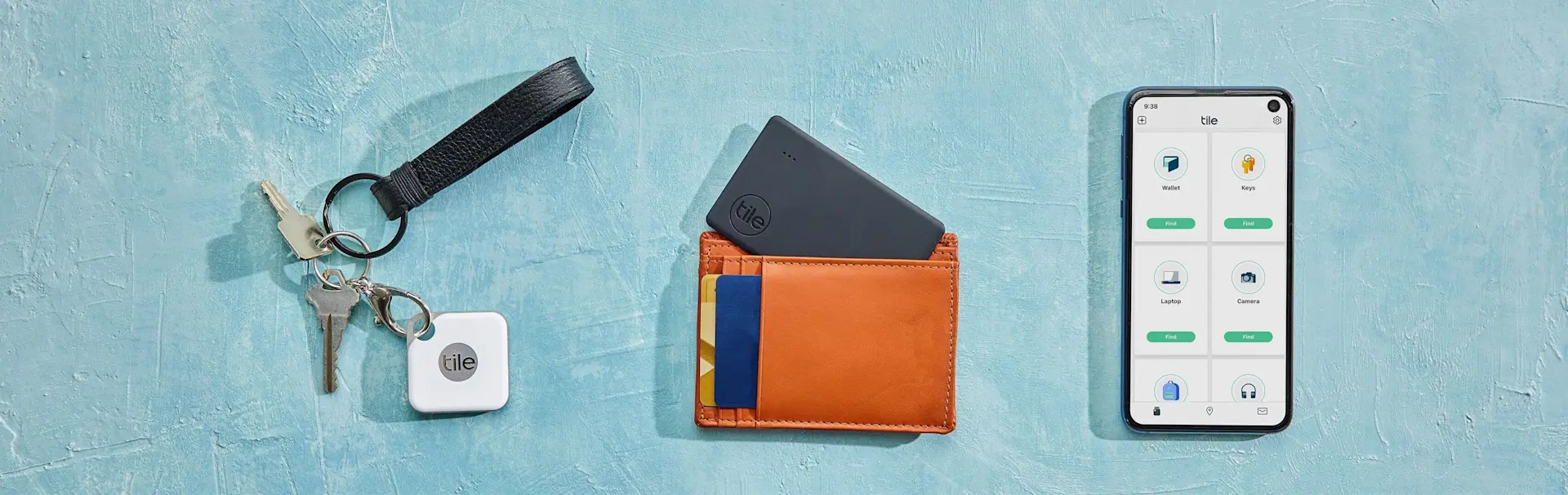
Though Androids are great phones, they don't typically come with built-in tracking apps. This can be a big problem if you're prone to losing your phone. When your phone ends up buried under a pile of paperwork or absentmindedly set on top of the fridge, it can be pretty frustrating. You often have to put aside everything you're doing to find it, and if the ringer is turned off, hunting for it can take ages. The good news is that Tile's got you covered. We provide several great tracking options for Android phones.
How to Track an Android Phone with Tile
Most Tile users know us as the company that produces purse, wallet, and key trackers. However, did you know that any Tile Bluetooth tracker also doubles as an automatic Android phone tracker? Tile trackers work with Bluetooth, so they are constantly exchanging a signal with your phone. This signal works two ways, allowing you to use the Tile to send a please ring so I can track my Android
message to your phone.
The whole process for how to track an Android phone with Tile is simple. Any one of our trackers can be used! You just have to set it up by syncing the Tile tracker to the app on your phone. Then, you can always use the tracker to find your phone. If your phone goes missing, you don't have to dig underneath couch cushions and check inside every pocket. All you have to do is grab one of your Tile trackers and double-click the center button to make your Android phone ring nearby.
Double-clicking the Tile's button will send a signal to your phone telling it to ring, even if your phone was on silent before. Your phone will ring at its loudest volume, so you can follow the sound to wherever it ended up. Our neat little Android tracker is available on every Tile. Whether you usually use your Tile tracker to keep up with your pet or find missing keys, it will also help you find your phone.
Some of our customers even get a Tile just for tracking their Android. This makes the whole Android tracking process even simpler. You just have to get something like a Tile Sticker and put it on your fridge or door. Then, you don't have to look for your tracker when your phone goes missing. Instead, you can easily ring your phone from your stationary tracker any time your phone's disappeared.
How to Track an Android Phone When It's Turned Off
Most track my Android
apps only run while your phone is actively turned on and connected to your phone service. However, Tile lets you track an Android phone even after the battery dies. If you want this extra layer of protection, you just need to attach a Tile tracker to your Android case. This ensures you never end up frantically running around trying to find your phone before its battery dies.
Start by slipping a Tile Slim inside your phone case. When your phone goes missing, you can use a tablet or a friend's phone to log in to the Life360 app. From the app's track my Android phone
page, you can ring your Tile tracker. Even if the battery dies or a thief turns off your phone, the Tile tracker will keep on working.
Putting a tracker on your Android is also a good idea because it will show your phone's last known location. When your phone leaves Bluetooth range and cannot be rang anymore, the app will show you the last spot the tracker was in contact with your phone. You can use this to remember which bar you left your phone at or see if you might've left your Android behind at a friend's.
Having a tracker installed in your phone case means you can even use the Life360 Network for a missing phone. Anytime your phone seems lost for good, select Notify when found
in the Life360 app. Every Tile device will anonymously scan for your phone. Though no one else will know your phone is missing or know where your phone is, the app will update you as soon as a passing Tile device pings your lost phone.
Don't Miss Out on Tile's Android Phone Trackers
A lost Android doesn't have to lead to frustration and wasted time. With Tile Bluetooth trackers, it's easy to find your phone fast. If you'd like to learn more about Tile's uses, feel free to contact us through our Help Center. You can also learn more about the ways Tile saves time by following us on Facebook, Twitter, or Instagram.