🎃 A Safe and Spooky Night: 5 Life360 Tips for a Smarter Halloween
Halloween is one of the most exciting nights of the year for families — but let’s be honest, it can also be one of the most nerve-wracking for parents. As neighborhoods fill with costumes, candy, and chaos, the question on every parent’s mind is: How can I give my kids the same freedom I had growing up — without the worry?
With Life360 and Tile, families don’t have to choose between independence and safety. These five simple tips make it easy to enjoy a Halloween that’s fun, connected, and (most importantly) safe.
1. Form Your “Trick-or-Treat Crew” Circle
Before the candy hunt begins, create a dedicated Halloween Circle in the Life360 app. It’s the easiest way to stay connected while your kids are out and about. Whether you’re walking alongside them or watching from home, you can check in at a glance — no constant calls or texts required.
2. Set Real-Time Place Alerts
Heading to a friend’s neighborhood or meeting up after the candy run? Use Place Alerts in the Life360 app to get notified when your child arrives or leaves key locations. Parents can relax knowing their little ghosts and goblins are exactly where they should be.
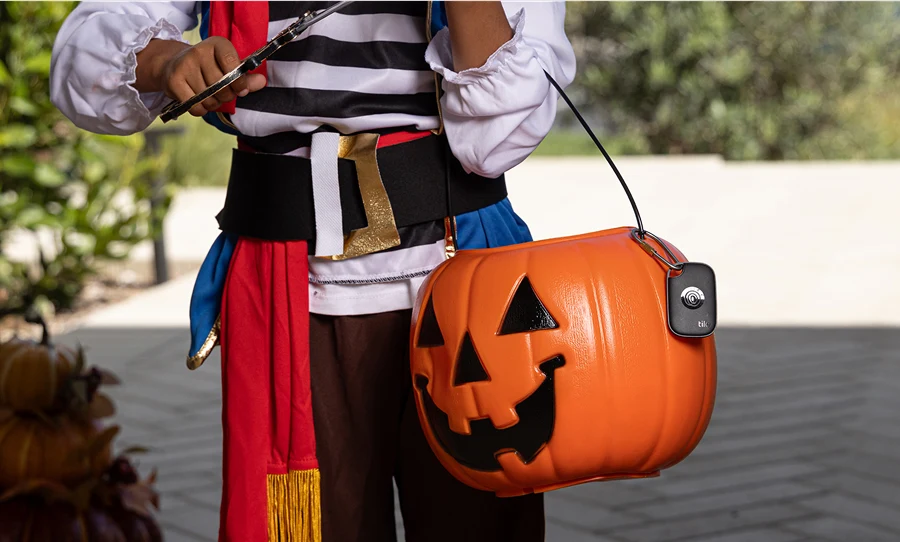
3. Keep Track of Trick-or-Treat Bags with Tile
Between candy swaps and costume chaos, things are bound to get lost. Attach a Tile Mate or Tile Slim to candy bags, wagons, or costume accessories. If something goes missing, just open the app and ring it from your phone — or tap into the global Tile Network to help you find it fast.
4. Use SOS & Safety Features for Peace of Mind
For extra protection this Halloween, make sure Life360’s Crash Detection and SOS are turned on — and don’t forget, new Tile models include an SOS button too. With a simple press, families can send an alert to emergency contacts and, if needed, dispatch professional help through Life360. Whether you’re walking home after dark or driving between neighborhoods, these connected safety features help everyone feel secure.
5. Plan Your Route and Share It
Before heading out, use Life360’s location sharing to plan your route and stick to safe, well-lit areas. You can even share your trick-or-treat map link with friends or grandparents who want to follow along virtually — the perfect way to include family near and far in the fun.
A Smarter, Safer Halloween
Halloween should be about making memories, not managing worries. With Life360 and Tile, parents can give their kids the same sense of adventure they had growing up — this time, with a modern safety net built for today’s world.
Stay connected. Stay safe. And have a spooktacular Halloween.