HomepageLife360 logo
Pet SafetyMembership PlansShopSale
Get started
Core Tile 1

Tile

Small size, big features

Core Tile Pro 1

Tile Pro

Longest range

Core Tile Slim 1

Tile Slim

Fits anywhere

Core Tile Sticker 1

Tile Sticker

Sticky to stay put

pet gps feature

GPS Pet Tracker

Real-time pet tracker

ImageAsset

Sale

Shop Limited Time Deals!

  • New Arrivals
  • Custom Branded Tiles
Explore Tile Trackers
da762308-f79a-471f-b73b-479cce75a91b 1

Location Sharing

See they’re safe — no calls or check-ins needed.

nav-driving-safety

Driving Safety

Wherever they’re headed, we’ll be along for the ride.

260x174-Digital-safety 1

Digital Safety

From unexpected digital threats to the unwanted charge — we've got you.

260x174-Aging-Parents-Final

Parents

They stay independent. You stay informed.

nav-emergency-assistance

Emergency Assistance

Count on us when every second counts.

All Articles

Find Your Phone with These Apps and Devices
Published: Mar 25, 2023

| Updated: Apr 27, 2023

• Tile Tips
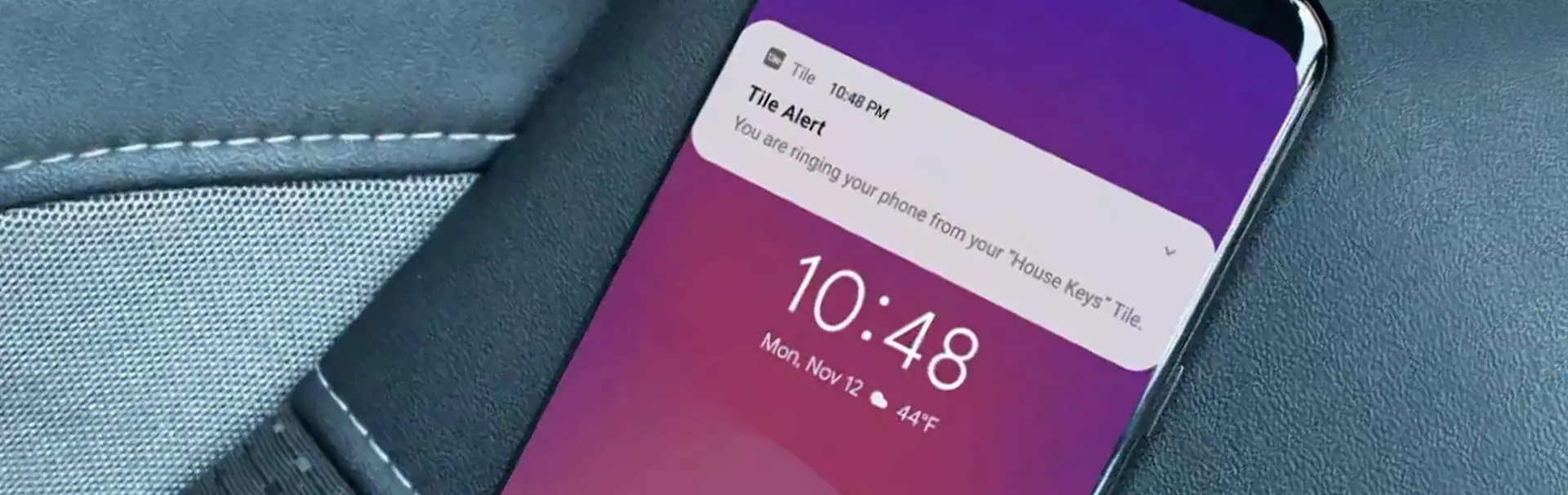
A Tile app notification that your House Keys Tile is ringing

How many times a day do you need to find your phone? Sometimes it’s in the kitchen, sometimes it’s somewhere underneath all those sheets and blankets. Other times your lost phone has been forgotten in the car! Wherever it may be, here are the top apps that will help you find your lost phone. 

1. Find My Phone With Tile 

The Life360 app isn’t just handy for finding lost items around you, there are several features that help make your day easier. One of them is the find my phone feature, which is super easy to use. Simply double press the Tile button on any of your activated Tile Bluetooth trackers, and the Life360 App will ring your phone if it’s nearby - even if it’s on silent! 

The find my phone feature works for both Android™ and Apple® devices. 

2. Find My Android Phone With Google 

If you have an active Android phone, you can use the accompanying Google app called Find My Device to find your Android phone. First, you need to make sure this feature is enabled, and second, you need to make sure Google location services are also enabled. Obviously this needs to be done before the phone is lost, but you already knew that. To find your lost Android phone, simply login to the app and select your device. Once your phone is located, you can remotely find, lock, or erase your phone.

Related Products
Black Mate (2022)Sticker (2022)
Related Articles
Chipolo vs TileBluetooth Tracker Buying GuideTile vs Tile ProTile Pro Review (2026)How to Track Your Phone: 5 Methods That Actually Work
  1. Home>
  2. Blog>
  3. Tile Tips>
  4. Find Your Phone with These Apps and Devices
Sign up to get 15% off your first order of Life360 Bluetooth trackers.

By entering my email and clicking Sign up I agree to receive Life360 emails with exclusive updates, offers, and personalized messages (e.g. cart reminders). I have read and agree to the Life360 Terms of Service and acknowledge the Privacy Policy.

App Store ButtonGoogle Play

Company

AboutOur TeamCareersAdvertise with UsPartner with UsCustom Branded TilesPressInvestor RelationsTrust & SafetySustainabilityLearnEnterprise Tracking Partnership

Support

Help CenterActivate a Tile TrackerBlogMember ProtectionOrder StatusShippingWarranty & Refund PolicyReport a Security Vulnerability

Legal

Terms of ServicePrivacy PolicyLaw Enforcement GuidelinesReseller PolicyUS UPPCanada UPPDeclaration of ConformityUser GuidesPrivacy Options icon

©2026 Life360, Inc.
TILE and the TILE design are trademarks of Tile, Inc., a subsidiary of Life360, Inc.

*Free standard shipping on orders over $35 (excludes Guam, Puerto Rico and USVI)*

  • Twitter Opens in a new tab
  • YouTube Opens in a new tab
  • Facebook Opens in a new tab
  • Instagram Opens in a new tab
  • LinkedIn Opens in a new tab